
Why ISO 9001 Audits Fail on Spreadsheets: How an Electronic QMS (eQMS) Eliminates Compliance Scramble
The Annual Pre-Audit Panic: Spreadsheets, Shared Drives, and Broken Links
For many Australian businesses certified to ISO 9001 (Quality Management), ISO 14001 (Environmental), or ISO 27001 (Information Security), the weeks leading up to an external surveillance audit follow an all-too-familiar, exhausting ritual:
A quality manager sends frantic emails across engineering, operations, and HR departments asking for the “latest version” of standard operating procedures (SOPs). Someone discovers that three technicians have been referencing an unapproved Word template saved locally on their desktop. A master register spreadsheet in Excel shows four Corrective Actions (CAPAs) marked “In Progress” with action dates from eight months ago—and no evidence that staff were ever trained on the revised work instructions.
This scramble isn’t caused by a lack of diligence. It is the inevitable breakdown of trying to run a rigorous quality management system on tools that were never built for governance: manual Excel spreadsheets, static PDFs, and cluttered shared network folders.
┌─────────────────────────────────────────────────────────────┐
│             THE SPREADSHEET QUALITY TRAP                    │
├─────────────────────────────┬───────────────────────────────┤
│  MANUAL SPREADSHEET QMS     │  MODERN eQMS IN M-FILES       │
│  • Disconnected Word files  │  • Single Source of Truth     │
│  • Uncontrolled revisions   │  • Automated Approval History │
│  • Chasing staff for signoff│  • Mandatory Training Records │
│  • Weeks of audit prep      │  • Instant 30-Second Audits   │
└─────────────────────────────┴───────────────────────────────┘
4 Systemic Reasons Spreadsheet-Based QMS Fails External Audits
Under ISO 9001:2015 Clause 7.5 (Documented Information) and Clause 10.2 (Nonconformity and Corrective Action), certification auditors do not simply look at your written policies—they audit the lifecycle and control of that information.
Here is where manual spreadsheets consistently collapse under scrutiny:
1. Version Drift & Uncontrolled Documents
When an SOP or technical drawing is updated in Word and saved into a folder, legacy copies linger in email threads, personal downloads, and printouts on the workshop floor. When an auditor asks an operator which document revision they are following, finding a discrepancy between the master register and the shop floor is an immediate Major or Minor Non-Conformance.
2. The Training Acknowledgment Black Hole
Under ISO standards, releasing an updated procedure is only half the requirement; you must demonstrate that relevant personnel were made aware of the change and are competent in the new process. Spreadsheets cannot enforce accountability. Quality teams are left chasing physical sign-off sheets or manual email replies that get lost in inboxes.
3. Orphaned CAPAs & Incomplete Root-Cause Analysis
Spreadsheet-based incident logs capture non-conformances, but they fail to enforce closed-loop resolution. Actions stall indefinitely because the spreadsheet cannot automatically assign tasks, send escalation reminders to managers, or enforce a mandatory 90-day effectiveness review before an issue can be formally closed.
4. Zero Immutable Audit Trails
In a shared Excel sheet, any user can inadvertently overwrite a cell, alter a close-out date, or delete an entry without leaving a forensic audit log. Certification auditors recognise this inherent risk and will scrutinise manual registers far more aggressively than automated systems.
What a Modern Electronic QMS (eQMS) Looks Like in M-Files
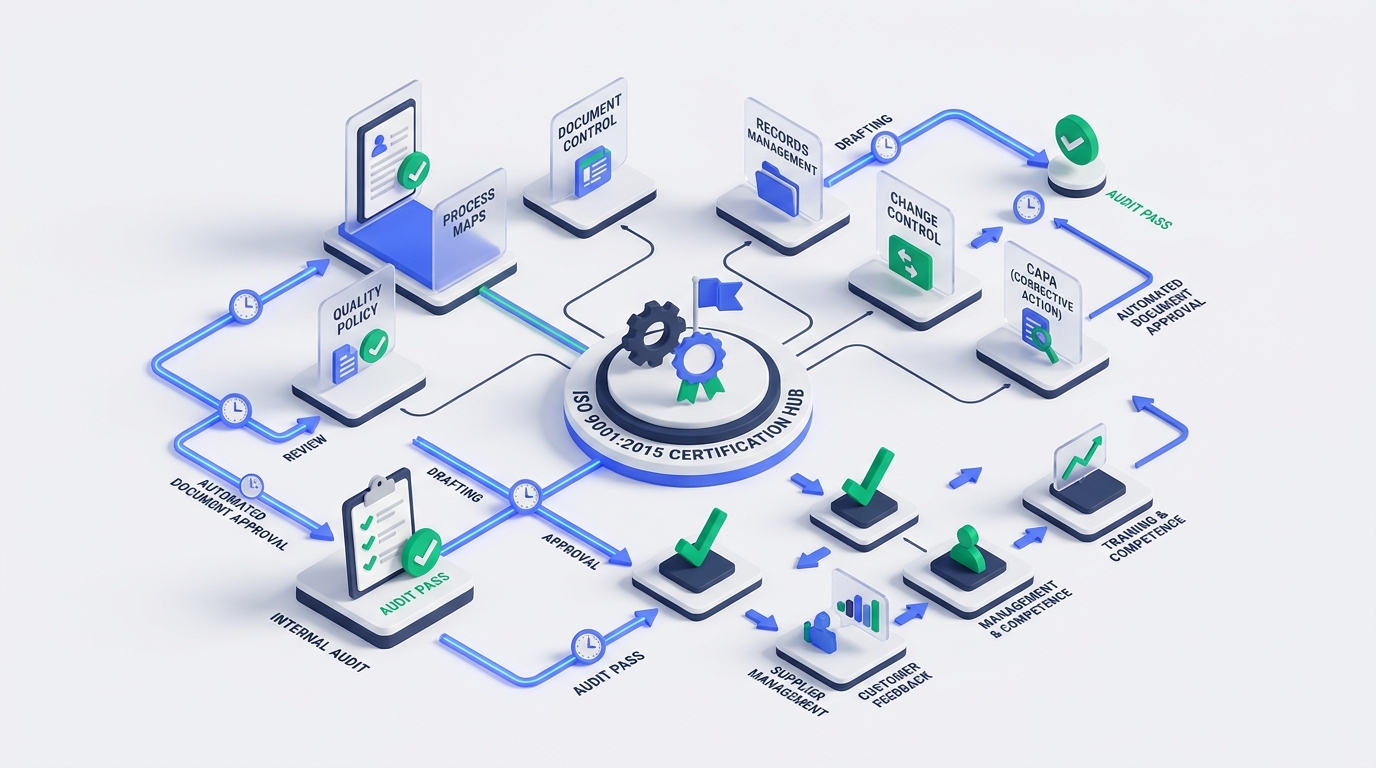
An Electronic Quality Management System (eQMS) powered by M-Files replaces disconnected files and static registers with a dynamic, metadata-driven compliance hub.
Rather than storing documents in rigid folder trees, M-Files organises information based on what it is, what standard it applies to, and who needs to action it.
| Quality Process | Traditional Spreadsheet Approach | M-Files eQMS Solution |
|---|---|---|
| Document Control | Manual revision numbers typed into footers; duplicate files across network drives. | Automated Version Control: Only one active approved version exists. Archiving is automatic and tamper-proof. |
| Change Approvals | Routing Word attachments via email; signatures copied and pasted into documents. | Governed Digital Signatures: Sequential review workflows with role-based sign-offs and full audit timestamps. |
| Staff Training | Paper attendance sheets or untracked group emails. | Automated Training Tasks: Role-based assignments generated automatically upon document approval with tracked sign-off. |
| CAPA Management | Manual follow-ups in an Excel table; missed review dates. | Closed-Loop Workflows: Automated task escalations, 5-Whys root cause validation, and scheduled effectiveness reviews. |
| Audit Preparation | 2–3 weeks of hunting down files, cross-checking versions, and compiling binders. | Zero Audit Prep: Pull every policy, training record, and CAPA history in 30 seconds directly from the vault. |
Real-World Audit Readiness: From 3 Weeks of Stress to 30 Seconds
Consider how an auditor interview unfolds in a mature eQMS environment:
Auditor: "Show me your Control of Non-Conforming Outputs procedure, who approved the latest revision, and prove your operations supervisors acknowledged it."- In a Manual Setup: The quality coordinator opens a shared drive, searches through three folders named “Approved Procedures 2025”, “Drafts”, and “Final_v2”, cross-references a master Excel list, and scrambles to locate signed training registers.
- In M-Files eQMS: The coordinator types
Control of Non-Conforming Outputsinto M-Files. In one click, the system displays:- The currently approved version (v4.0), watermarked with approval metadata.
- The complete electronic signature log showing exactly who drafted, reviewed, and approved the revision.
- A linked Competency & Training View listing all operations supervisors who have completed their digital acknowledgment, complete with date stamps.
The entire request is answered in under 30 seconds with complete, unassailable data integrity.
Expanding Beyond ISO 9001: Multi-Standard Governance
Modern Australian organisations rarely manage quality in isolation. An effective eQMS allows you to map single documents and controls across multiple overlapping regulatory frameworks:
- ISO 14001 (Environmental Management): Linking incident reports, spill response SOPs, and regulatory compliance registers.
- ISO 27001 (Information Security Management): Managing access control policies, risk treatment plans, and vendor security audits.
- ISO 45001 (Work Health & Safety): Automated hazard reporting, incident investigation, and workplace safety inspection logs.
- NDIS & Aged Care Quality Standards: Incident management, participant documentation, and mandatory worker screening compliance.
How Range Information Systems Builds Your eQMS
Transitioning to an Electronic Quality Management System does not require disrupting your daily operations or months of custom software development. As certified M-Files Gold Partners, Range Information Systems delivers pre-configured, best-practice eQMS solutions tailored to Australian standards:
- Vault Schema & Metadata Design: Establishing standard document types, review cycles, and approval hierarchies.
- Workflow Automation: Deploying automated approval sequences, training notifications, and CAPA resolution loops.
- Migration & Clean-up: Ingesting legacy procedures, resolving duplicates, and establishing clean baseline registers.
- Audit-Day Support & Training: Training quality coordinators, approvers, and general staff for seamless adoption.
Summary: Stop Managing Quality on Yesterday’s Tools
Operating an ISO quality system on manual spreadsheets is a high-stress, high-risk approach that wastes hundreds of operational hours every year. A metadata-driven eQMS turns compliance from an annual scramble into a quiet, continuous operational strength.
- ✅ 100% Document Control: Eliminate obsolete versions and duplicate files forever.
- ✅ Automated Training Records: Prove staff competence instantly with digital acknowledgments.
- ✅ Closed-Loop CAPA: Ensure every non-conformance is investigated, fixed, and verified.
- ✅ Stress-Free Audits: Give external certifiers instant, transparent access to your complete compliance history.
Ready to modernize your Quality Management System?
Contact Range Information Systems to schedule an eQMS demonstration, or explore our Quality Management Software (QMS) solutions.
🔗 Related Reading: