
Connect M-Files Across Your Tech Stack — Without Data Silos
Access governed documents directly inside Microsoft 365 Copilot, Teams, Salesforce, SAP, Dynamics 365, AutoCAD, and custom internal applications — with zero file duplication.
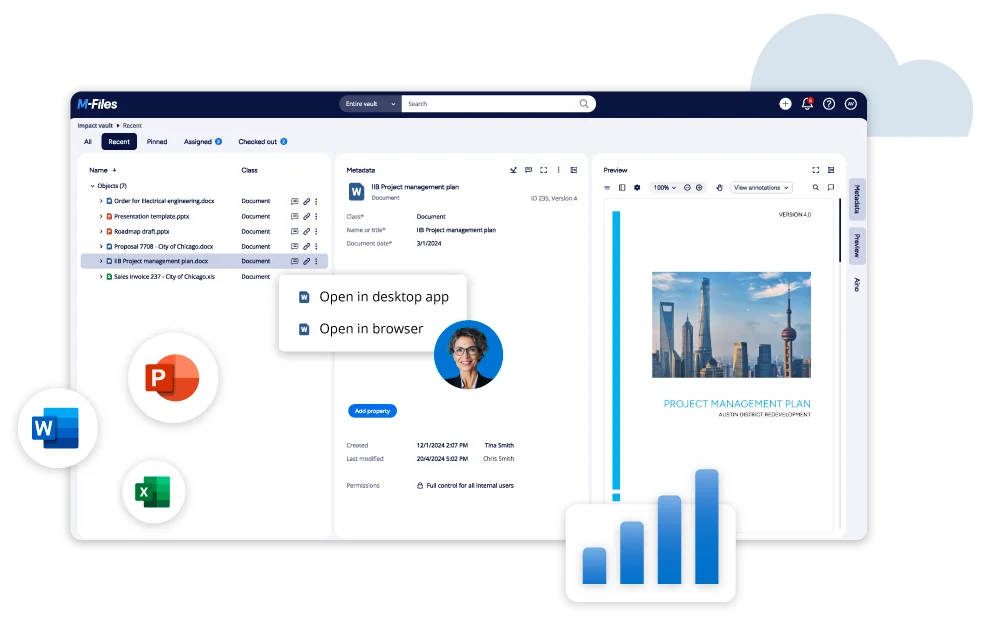
Connect M-Files metadata natively to Microsoft 365 Copilot, Salesforce, SAP, DocuSign, and custom REST APIs.
 Microsoft 365
  SharePoint
  Salesforce
  SAP ERP
  DocuSign
  ChronoScan
  AutoCAD
 Sound familiar?
The operational costs and human errors created by disconnected software systems:
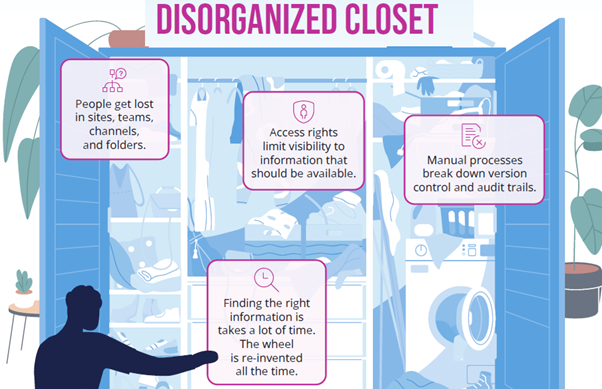
Staff jump between 5 different applications
Finding a single client file requires opening CRM, checking an email thread, logging into an ERP, and searching network folders — wasting billable hours every day.
CRMs and ERPs are disconnected from contracts
Sales reps and account managers see customer data in Salesforce or SAP, but have no direct access to signed agreements, variation orders, or compliance documents.
Re-keying metadata creates constant human error
Staff manually type customer names, job numbers, and invoice totals from paperwork into finance tools — leading to typos, lost documents, and audit compliance gaps.
Custom internal tools can't talk to file shares
Proprietary operations portals or legacy databases operate in isolation, requiring expensive custom scripts or manual file uploads just to attach relevant records.
Work inside the apps you already use
M-Files embeds directly into your core business tools — allowing staff to search, view, create, and approve governed documents without leaving their primary interface.
Microsoft 365 & Copilot Synergy
Native ribbons in Word, Excel, PowerPoint, Outlook, Teams, and Microsoft 365 Copilot. Ask Copilot questions grounded in your governed M-Files vault while respecting strict permission controls.

Native CRM & ERP Connectors
Surface related M-Files documents directly inside Salesforce Opportunities, SAP purchase orders, or Dynamics 365 records — eliminating file duplication and manual re-keying.
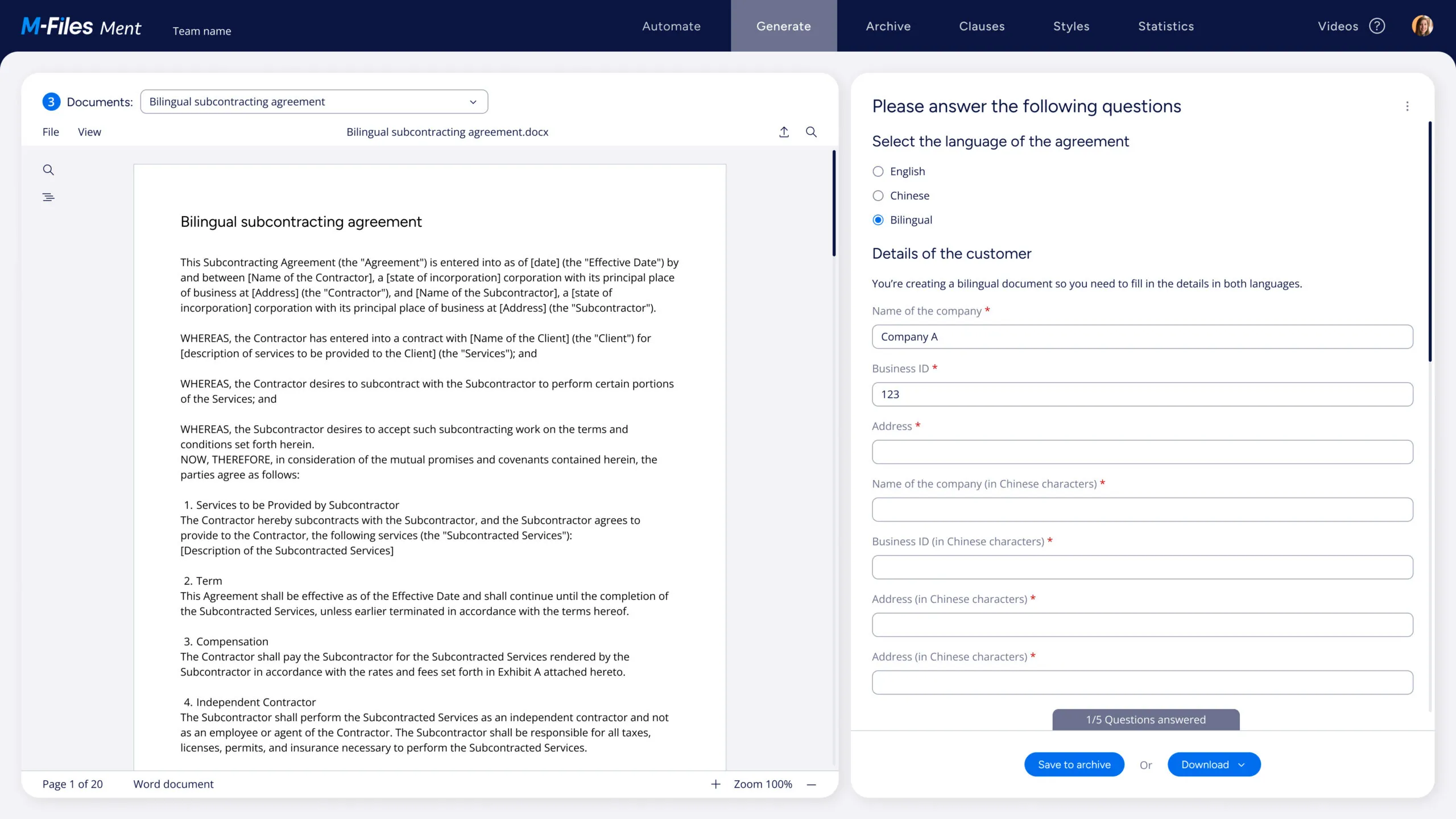
Automated E-Signatures & Capture
Trigger DocuSign signing requests directly from M-Files workflows and automatically process high-volume scanned invoices into metadata properties via ChronoScan OCR.
Custom REST APIs & Federated Search
Range IS builds bespoke REST API bridges for custom operational databases while indexing legacy network file shares and SharePoint libraries as external federated repositories.
How M-Files Connects to Your Core Applications
Detailed technical capabilities for the most common platform integrations:
Microsoft 365 & Copilot
AI & ProductivityQuery governed enterprise documents directly inside Microsoft 365 Copilot chat. Copilot references live M-Files vault metadata and citations while strictly enforcing user permissions. Includes native ribbons in Word, Excel, PowerPoint, Outlook, and Teams.
Salesforce & Dynamics
Customer RelationshipSurface related customer contracts, proposals, and NDAs directly inside Salesforce Opportunities, Accounts, and Cases. Sales reps and account managers get instant access without leaving their CRM interface or copying files.
SAP S/4HANA & B1
Enterprise ERPLink purchase orders, goods receipts, and vendor invoices directly to SAP financial transactions. Accounts payable and procurement teams view, annotate, and approve documents within the native SAP UI.
AutoCAD & Autodesk
Engineering & CADManage complex engineering drawings, DWG files, and XRef external references with full revision control and title block metadata synchronisation designed specifically for architecture and engineering practices.
DocuSign & Digital Sign
Workflow E-SignaturesStreamline approval chains. When a contract or policy reaches an approval state, M-Files automatically routes it to DocuSign, pre-fills template metadata fields, and archives signed PDFs back to the vault.
ChronoScan & OCR
Document CaptureHigh-volume scanning, automatic line-item OCR data extraction, and intelligent form recognition. Converts paper invoices, receipts, and delivery dockets into M-Files metadata properties without manual keying.
Every Integration, at a Glance
M-Files connects natively with hundreds of enterprise platforms. Common integrations supported by Range IS include:
| Category | Platform / System | What It Enables | Connector Type |
|---|---|---|---|
| Microsoft Ecosystem & AI | |||
| Microsoft AI | Microsoft 365 Copilot | Ask Copilot questions grounded in M-Files vault documents with strict permission controls | Native Plugin |
| Microsoft | Microsoft 365 & Teams | Access and share M-Files documents directly from Teams channels and OneDrive | Native |
| Microsoft | Outlook Email | Save and tag emails and attachments to M-Files with one click from Outlook ribbon | Native |
| Microsoft | SharePoint Online | Index SharePoint libraries as federated M-Files sources without data migration | Native |
| Microsoft | Microsoft Entra ID (Azure AD) | Single sign-on (SSO), MFA, and automated user group provisioning | Native |
| CRM & ERP Systems | |||
| CRM | Salesforce Lightning | Attach M-Files vault documents to Salesforce Opportunities, Accounts, and Cases | Native |
| CRM | Microsoft Dynamics 365 | Surface related M-Files documents inside Dynamics CRM records panel | Native |
| ERP | SAP Business One / S/4HANA | Link purchase orders, invoices, and contracts to SAP transactional records | Certified Connector |
| ERP | NetSuite & MYOB | Synchronise supplier invoices and payment approvals with cloud finance software | Standard |
| Database | ODBC / SQL Databases | Synchronise M-Files metadata with SQL Server, MySQL, or PostgreSQL data sources | Standard |
| Signing & Data Capture | |||
| Signing | DocuSign & Adobe Sign | Trigger e-signature requests from workflows and auto-archive signed PDFs back to vault | Native |
| Signing | M-Files Compliance Kit | Built-in e-signatures for ISO quality approvals and GxP compliance records | Add-on Module |
| Capture | ChronoScan OCR | High-volume OCR scanning with line-item data extraction into M-Files metadata | Native |
| Capture | Network Folders / File Shares | Index Windows file shares as external federated repositories — no migration needed | Standard |
| Engineering & Custom API | |||
| Engineering | AutoCAD & Autodesk DWG | Manage DWG files with full revision control, title block metadata, and CAD references | Native |
| Custom | REST API & Webhooks | Range IS builds bespoke connectors for any proprietary system with an API | Custom Build |
Integration in 3 Low-Risk Steps
We follow a structured, low-risk integration methodology. No big-bang migrations. No disruption to existing operations. Your team stays productive throughout.
Discovery & Metadata Mapping
We audit existing data sources, map required metadata properties, and define security boundaries before writing a line of code.
Phased Connector Configuration
We configure native connectors first, then build any custom API bridges. Testing is performed with real data in a sandboxed environment.
Go-Live & Ongoing Support
We deploy during low-traffic windows, train super-users, and provide 30 days of active post-launch monitoring to guarantee stability.
average time savings on document retrieval after integration
3-year ROI validated by Forrester Total Economic Impact study
faster approval decisions through automated workflow triggers
high user adoption rate due to familiar Office & CRM interfaces

Gartner Magic Quadrant
Leader & Visionary in Content Services

Forrester TEI Study
Validated 301% ROI over 3 years

TrustRadius Top Rated
Top Rated Integration Platform 2026

Nucleus Research
Ranked Leader 10+ consecutive years
Common Questions About M-Files Systems Integrations
Clear answers for IT directors, systems architects, and business process owners.
Stop jumping between disconnected applications.
Tell us what systems you're running and Range IS will design a tailored integration roadmap with zero operational disruption.
Book an Integration Discovery Call →