
Find it. Trust it. Make it ready for AI.
M-Files is metadata-driven document management that organises your information by what it is, not where it's saved. Range is an Australian M-Files partner — we deploy it, connect it to your systems, and support it locally.
No obligation · 30 minutes with an M-Files specialist, not a salesperson · Prefer to try it yourself first? Start a free M-Files trial →
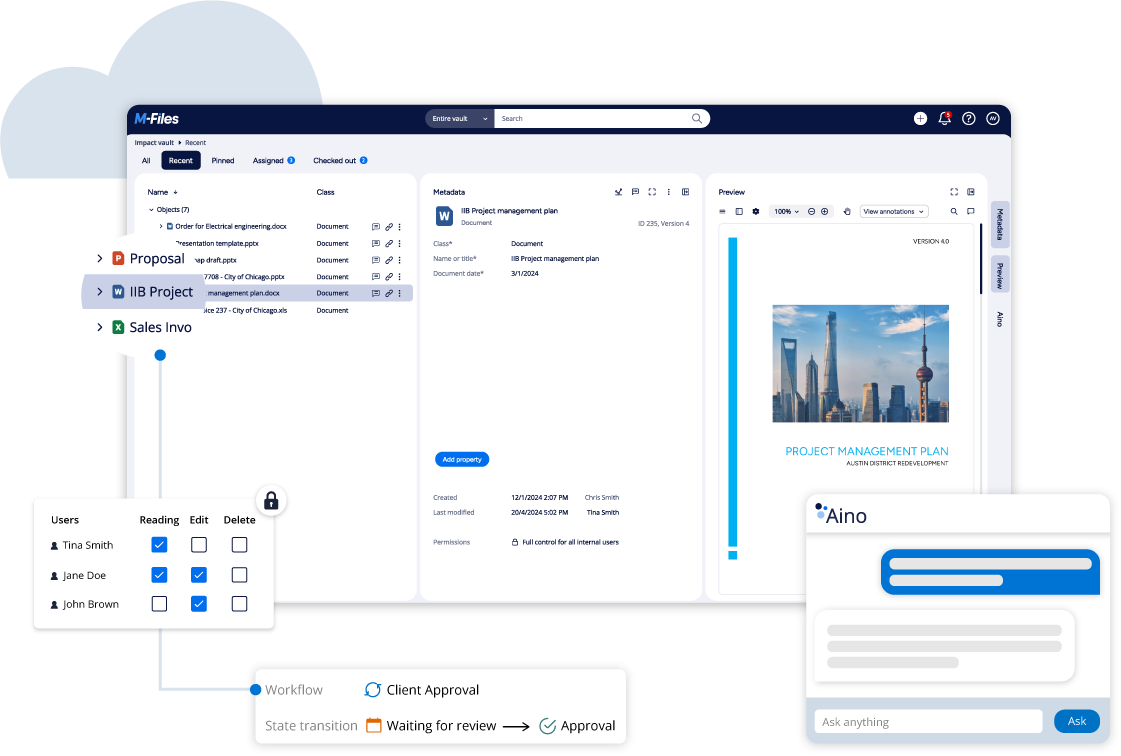
M-Files is recognised by industry analysts and used by 6,000+ organisations worldwide.
Range is the certified Australian partner who deploys and supports it:
Gartner Magic Quadrant
Recognised as a Leader & Visionary in Enterprise Content Services platforms.

Nucleus Research
Ranked a Leader for 10+ consecutive years in Value & User Usability.
Forrester Total Economic Impact™
Validated by Forrester Consulting to deliver a 301% Return on Investment (ROI) over 3 years.
Source: Forrester Total Economic Impact™ Study, 2026 →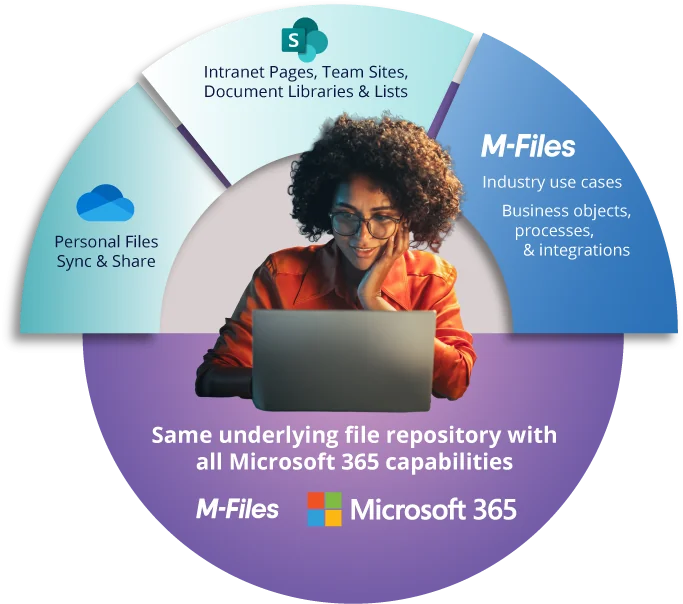
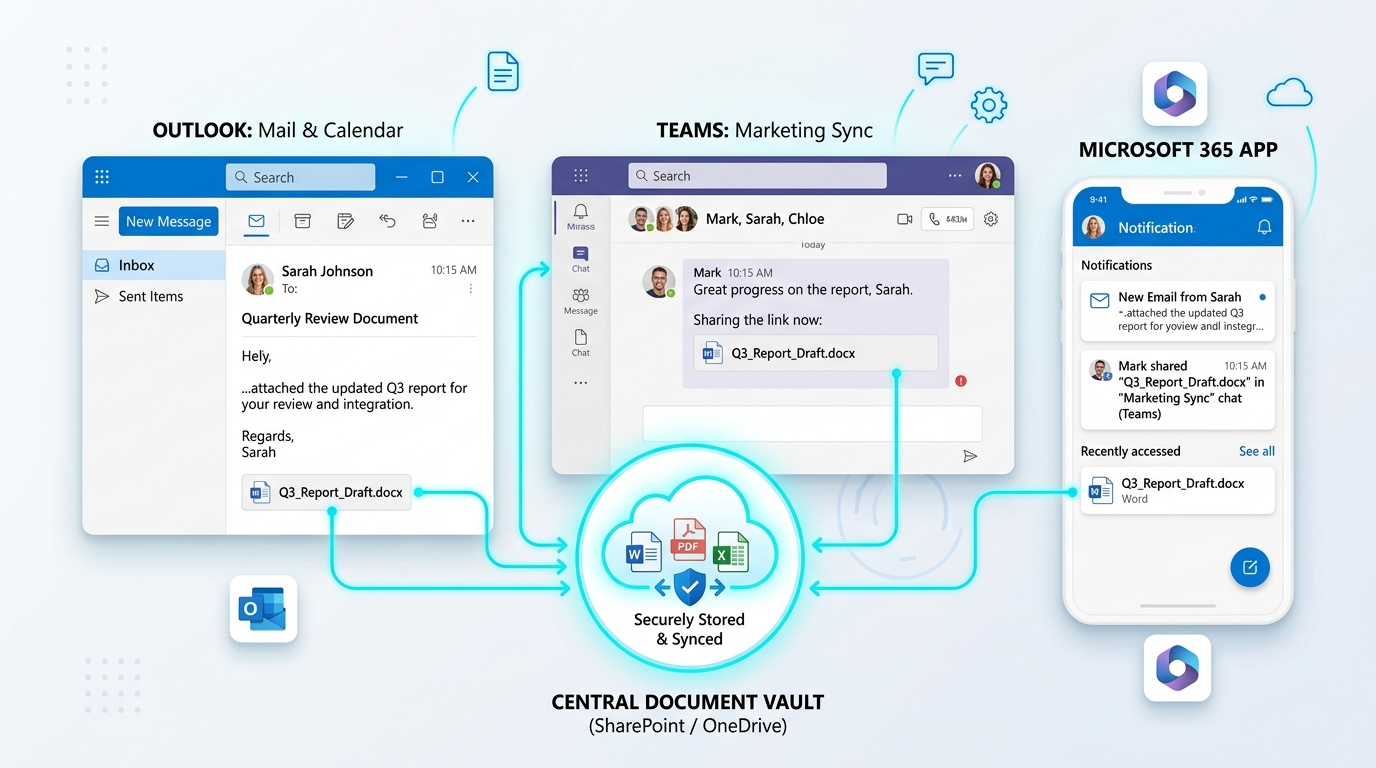
One repository, every Microsoft 365 surface
Whether your team is working from Teams, SharePoint intranet pages, Outlook, or personal OneDrive sync, they're reading and writing the same governed vault — not a separate copy that drifts out of sync.
If any of this sounds familiar, it's worth a conversation:
The eight common information bottlenecks that slow down Australian businesses every day:
Common document bottlenecks we solve
Your team wastes hours every week hunting for the right version of a file.
The same document exists in three or four different versions, scattered across different folders — and nobody's sure which one is actually current.
Sensitive records — HR files, contracts, financials — sit in folders anyone on the network can open.
New starters, contractors, and clients end up with access to things they shouldn't, or blocked from things they need, because permissions were never set up properly in the first place.
Approvals stall in someone's inbox with zero visibility on where they're actually stuck.
An audit is coming — compliance, quality, a client — and nobody can say with confidence where every relevant record actually is.
Clients keep emailing to ask where their contract, report, or invoice is, because there's no secure place for them to check it themselves.
You want to put AI to work on your business's information, but you don't actually trust what's in there enough to let it near client data.
Four ways it changes how your business runs
Here's exactly how M-Files fixes what you just read.
Find Anything in Seconds, Not Folders
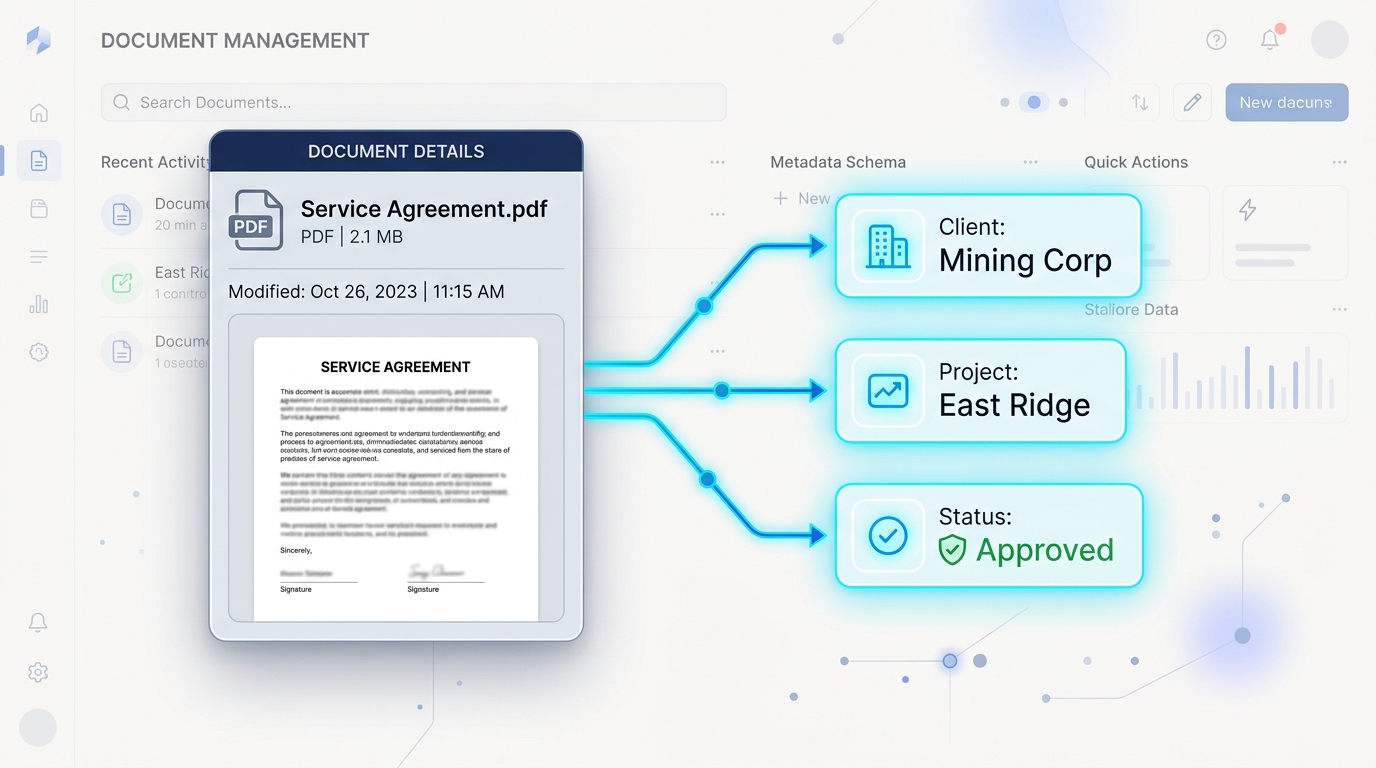
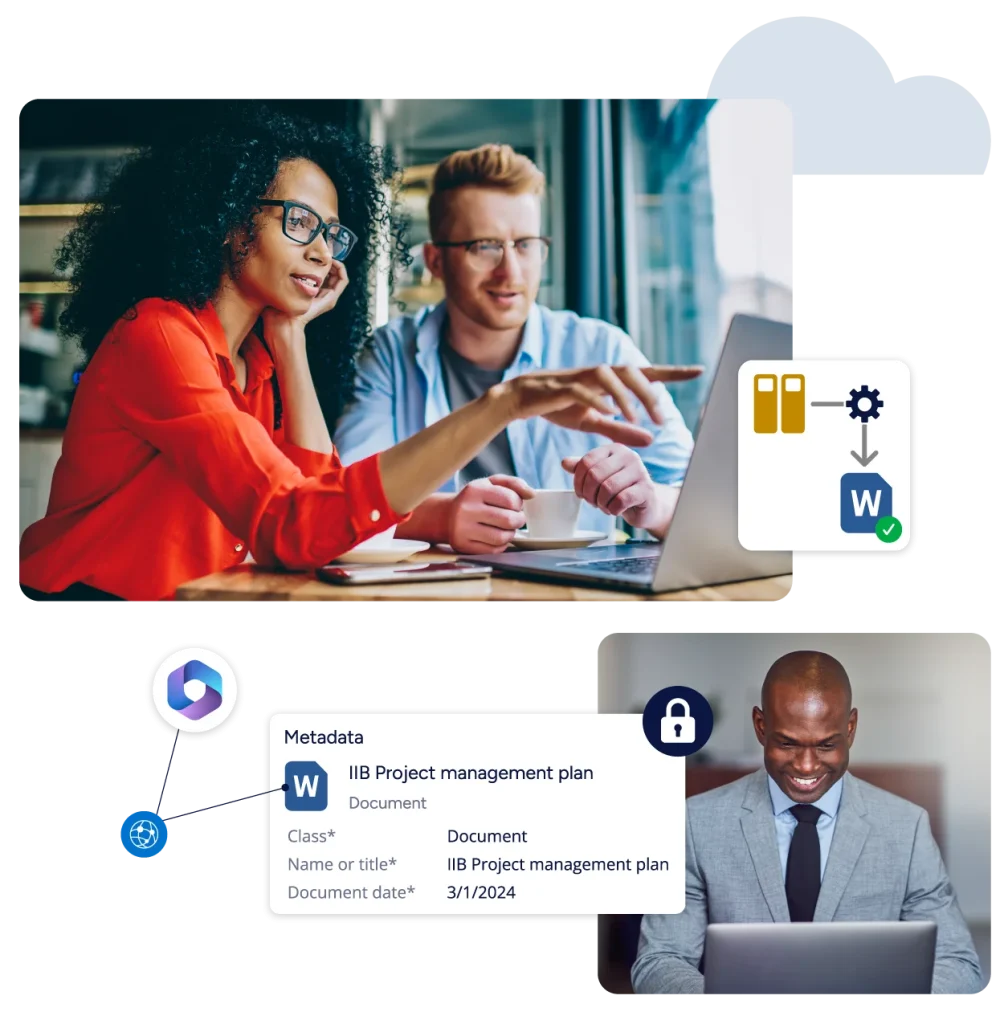
M-Files doesn't just store documents — it connects them to the client, project, or job they actually belong to, the way your business already thinks about them. Turn disconnected files scattered across drives, inboxes, and desktops into connected, trusted information, found by what it is — not which folder it's buried in.
Get Your Information AI-Ready
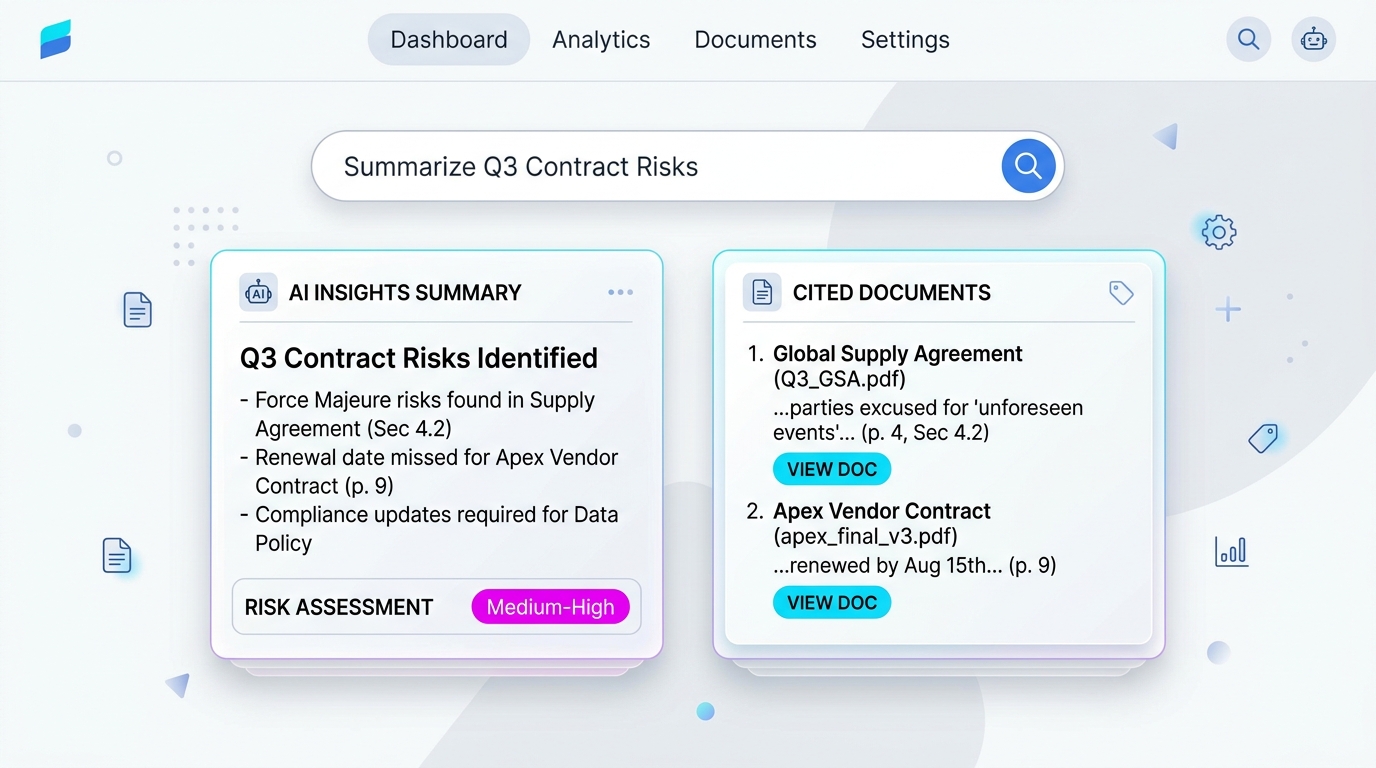
AI is only as good as the data behind it. Files that are duplicated, misfiled, or missing consistent metadata give an AI system nothing reliable to work from. Governed metadata gives M-Files Aino and agentic AI real context to answer, tag, and act with confidence — not guesswork.
Fits How You Already Work
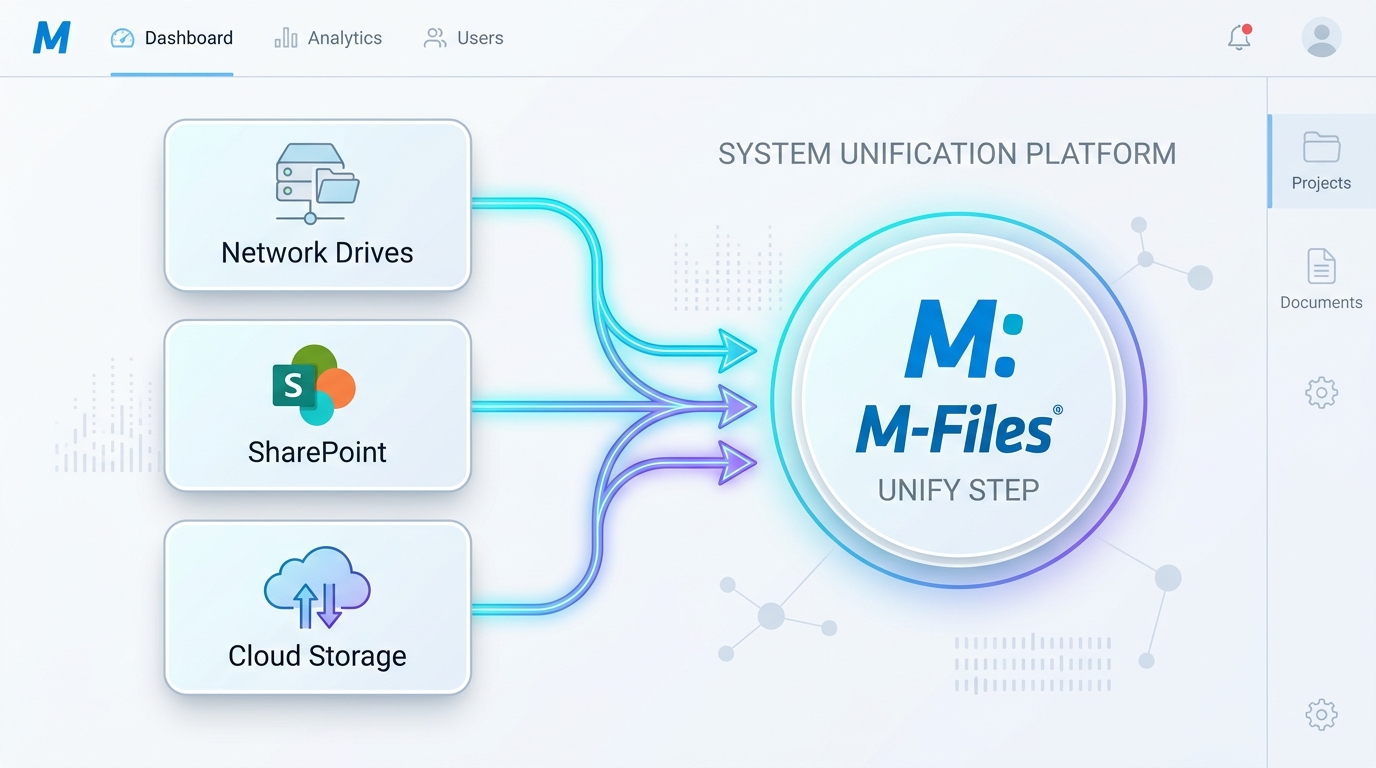
Metadata, permissions, and workflows are matched to how your business actually operates — not the other way around. This is the Unify step of how we work: we connect what you've already got instead of replacing it, so the system fits your business rather than the other way around.
Works Inside Microsoft 365
M-Files layers on top of what you've already got — Outlook, Teams, SharePoint, OneDrive — adding metadata, workflow, and governance without asking your team to abandon the tools they already know. It's available everywhere your team already works, too — desktop, browser, or the mobile app, so a site visit doesn't mean waiting until you're back at a desk.
Why M-Files outpaces the alternatives
6,000+
M-Files Customers Worldwide
10+ Yrs
M-Files a Nucleus Research Leader
12+ Yrs
Range an M-Files Partner (Since 2012)
100%
Direct Access to Senior M-Files Specialists
Same document. Same nine comparisons that actually matter. Here's M-Files against folders, SharePoint, and Dropbox/Box, side by side:
| Feature & What It Means | M-Files (Governed Vault) | Shared Folders | SharePoint | Dropbox / Box |
|---|---|---|---|---|
| Metadata-First Discovery Instead of asking where a document is stored, M-Files asks what it is. | Contextual, AI-powered search | Filename only | Keyword, siloed | Basic keyword |
| Document-Level Security Static folder-level permissions are a primary cause of data breaches. | Dynamic (metadata-based) | Static (folder) | Static (site) | Static (folder) |
| Version Control & Audits Version control is automatic, mandatory, and seamless with unalterable history. | Automatic, permanent | None | Manual, bypassable | Limited (180 days) |
| Generative & Agentic AI Natural-language questions with citations and automated retention enforcement. | Native Aino + Agents | None | None | None |
| Workflow Automation Automate contract approvals and invoice routing without writing code. | Built-in visual editor | None | Requires Power Automate | Minimal / 3rd party |
| Automated Retention & Disposal Automate information lifecycles from creation to secure disposal. | Automated metadata rules | None | Manual setup required | None |
| Outlook & Email Integration Save, tag, and file emails and attachments directly inside Outlook in one click. | One-click Outlook save & tag | Manual save & upload | Manual save & upload | Manual save & upload |
| Secure Client Collaboration & Portals Share documents securely via Hubshare client portals synchronised live. | Branded Hubshare Portals | Email attachments only | Complex guest access | Basic link sharing |
| Digital Signing & Approvals Sign contracts without leaving the platform, using the provider you already have. | Native — DocuSign, Adobe Sign, or leading e-signing providers, your choice | None — external tool required | Requires a 3rd-party add-in | Native, but a separate app from your file storage |
Who we work with
Range works with businesses that have real complexity to manage — typically 20 or more staff, often across multiple sites, with document and workflow demands that have outgrown ad-hoc systems and spreadsheets.
Explore M-Files for your business
Use Cases
Legal, accounting, healthcare, engineering — see it applied to your industry.
M-Files Aino
Generative and agentic AI working securely inside your vault.
Systems Integrations
Native connections to Microsoft 365, Salesforce, SAP, DocuSign, and more.
Pricing Guide
Licensing tiers and Range's Evolve & Refine implementation plan.
What our M-Files clients say
From organisations Range has implemented and supported on M-Files — not general IT feedback.
“City Fertility worked with Range IT on the implementation and roll out of M-Files, a fully featured QMS, Document Control system with additional modules. Working with Range was a great experience with dedicated team members who were very supportive and knowledgeable.”
Scott Osborne
Head, Risk and Compliance / Company Secretary
City Fertility

“We've been working with Range IT for over six years and have been consistently impressed with their service. Their document management system has been a great fit for our business, and their team is always responsive, professional, and willing to help with custom solutions. We highly recommend Range IT.”
Annabel
Executive Assistant to Henry Bateman
Cornerstone Health

“We have to compliment Range Information Systems on their excellent support, no task too big or small and their passion for making M-Files the best experience in a DMS is commendable. M-Files itself is one of the most customisable systems and with Range's advice and expertise we have managed to automate and streamline many business processes.”
Slade Lever
Technical Services Manager
Curtin Student Guild
“Having worked with Range Information Systems for a number of years, I can confirm that their implementation and support of the M-Files product is second to none. If you're looking for a partner to work with who listens to your requirements and tailors a solution to meet your needs, then look no further than Phil and his team.”
Graeme Easton MCSE
Systems Administrator & Support
MM Group Services Pty Ltd
Everything you need to know about M-Files
1. What is a document management system? ↓
2. How is M-Files different from SharePoint or shared folders? ↓
3. Do we have to migrate all our existing files before we start? ↓
4. Is M-Files secure, and how does access control work? ↓
5. What are the actual benefits of moving to a document management system? ↓
6. Does M-Files work with Microsoft 365 — Outlook, Teams, SharePoint? ↓
7. How long does implementation actually take? ↓
8. What does M-Files cost? ↓
9. Do we lose control of the system once it's set up, or do we need Range for every change? ↓
10. Where is our data hosted — do we have to use the cloud? ↓
See M-Files running on your own documents.
Book a free demo with Range's M-Files specialists — no sales pitch, just a straight look at how it would work for your business.