
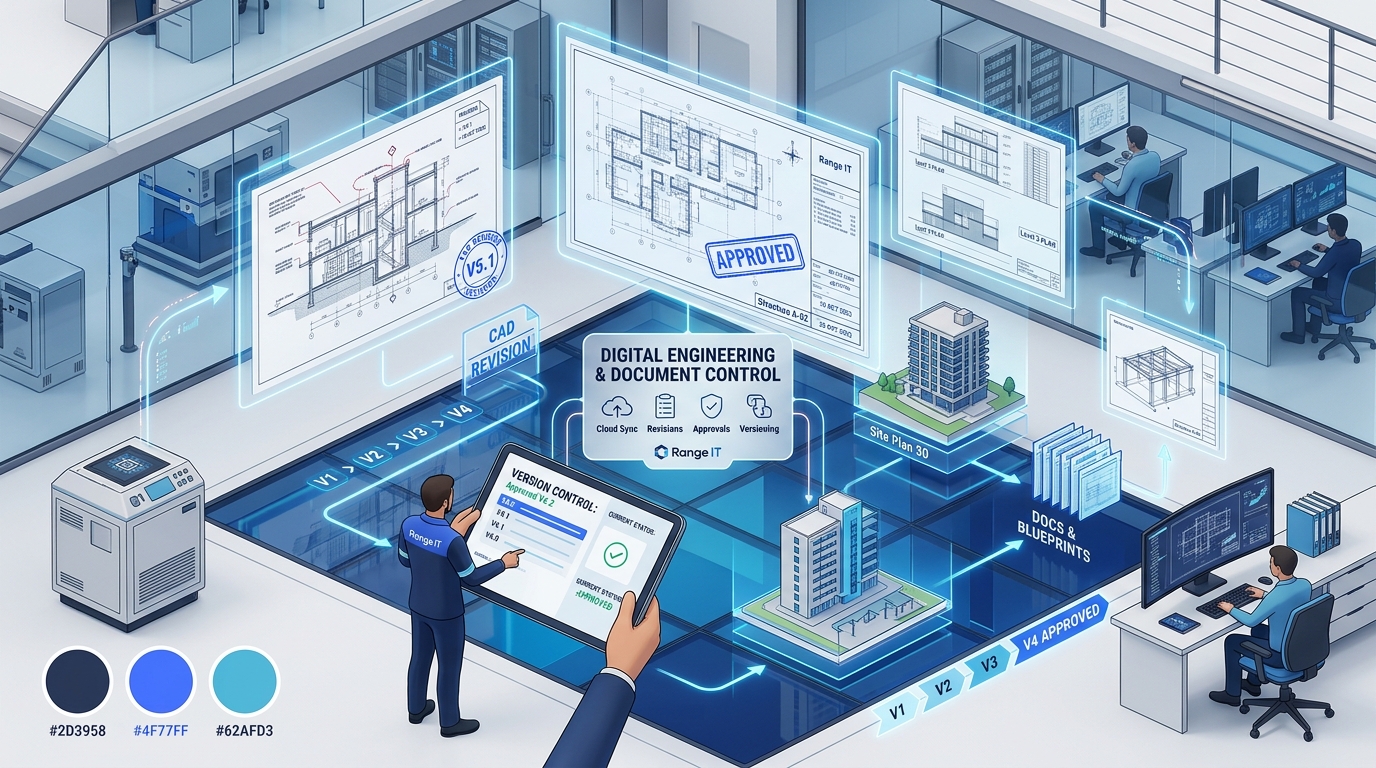
ISO 9001 Clause 7.5 Demystified: How to Automate Document Control for Engineering & Construction
The Operational Risk of Outdated Drawings and Technical Specifications
In commercial engineering, industrial fabrication, and construction, executing work against an obsolete revision of a technical drawing or specification creates devastating financial and operational fallout.
Consider a familiar project scenario: An engineer issues a critical structural modification on a Friday afternoon and saves it into a project folder. However, a site team or fabrication subcontractor in Western Australia continues working from an earlier revision downloaded to a field tablet days earlier.
When assembly or concrete pouring proceeds against superseded specifications, the resulting site rectification, project delays, and audit non-conformances quickly decimate contract margins.
According to engineering and project management research highlighted by Engineers Australia and industry benchmarks, up to 52% of all construction and engineering rework is caused by poor project data, outdated documentation, and miscommunication—costing the Australian infrastructure and commercial construction sector hundreds of millions of dollars annually.
Uncontrolled Network Folders
- ✕ Duplicate Drawing Copies: Multiple versions (`Rev_C_final_v2.dwg`) scattered across personal hard drives and email threads.
- ✕ Stale Local Downloads: Subcontractors operate from cached offline copies with zero awareness of approved design changes.
- ✕ Untracked Approvals: Sign-offs buried in Outlook chains without cryptographic timestamps or audit logs.
- ✕ Audit Non-Conformance: Inability to prove to ISO 9001 auditors that obsolete documents are prevented from unintended use.
M-Files Controlled Workflows
- ✓ Single Master Object: One authoritative file object with automated revision incrementing and check-out locks.
- ✓ Dynamic Watermarking: Automatic PDF stamping enforces "APPROVED FOR CONSTRUCTION" vs "DRAFT - NOT FOR CONSTRUCTION".
- ✓ Role-Based Approvals: Strict sequential sign-offs (Design Engineer → Project Lead → Client Approver).
- ✓ Instant Superseded Revocation: Transmittal portals automatically update external links, preventing site crews from viewing dead files.
This operational vulnerability is why ISO 9001:2015 Clause 7.5 (Documented Information), overseen in Australia by Standards Australia, remains a primary scrutiny point during external quality surveillance audits.
Demystifying ISO 9001:2015 Clause 7.5 Requirements
Clause 7.5 replaces legacy “document control” terminology with comprehensive rules for Documented Information:
- Clause 7.5.1 (General): The organisation must maintain all documentation required by the ISO 9001 standard and any additional records determined necessary for operational effectiveness.
- Clause 7.5.2 (Creating and Updating): When creating and updating documents, the organisation must ensure appropriate identification, description, format, and formal review and approval for suitability and adequacy.
- Clause 7.5.3 (Control of Documented Information): Documented information must be controlled to ensure:
- It is available and suitable for use, where and when it is needed.
- It is adequately protected from loss of confidentiality, improper use, or loss of integrity.
- Distribution, access, retrieval, storage, and version control are enforced—with explicit mechanisms to prevent the unintended use of obsolete documents.
Auditors do not merely inspect the final PDF drawing; they audit the governance workflow that ensures team members and contractors never encounter unapproved or obsolete context.
The Automated Clause 7.5 Engineering Document Lifecycle in M-Files
Below is the automated document control workflow implemented by Range IS using M-Files Intelligent Information Management:
ISO 9001 Clause 7.5 Automated Drawing & Specification Pipeline
4 Key Capabilities of M-Files for Engineering Document Control
1. Mandatory Check-Out & Revision Incrementing
In traditional file systems, two engineers opening the same CAD or specification file can easily overwrite each other’s changes. M-Files enforces mandatory check-out controls:
- While a file is checked out, other team members can only view a read-only snapshot.
- Upon check-in, M-Files prompts for a mandatory change summary and automatically increments the minor revision (e.g.
Rev A.1toRev A.2). - A complete, immutable version history is retained behind the single master object.
2. Electronic Review Workflows & Digital Sign-Offs
Informal email approvals fail Clause 7.5.2 audit requirements because they lack traceability. In M-Files, document progression is driven by automated state transitions:
- When a draft is ready, the author transitions the document state to
Technical Review. - The assigned lead engineer receives an automated notification with an embedded link.
- Approvals capture user identity, cryptographic timestamps, and comments, building an unalterable audit log.
3. Dynamic PDF Watermarking & Stamp Control
To prevent field crews or fabricators from referencing superseded paper printouts:
- Documents in
DraftorUnder Reviewstates automatically receive a prominent diagonal watermark: “DRAFT - NOT FOR CONSTRUCTION”. - Once formally approved, the system generates an official PDF stamped with “APPROVED FOR CONSTRUCTION”, along with the active revision number, release date, and approving engineer’s name.
4. Controlled Contractor Transmittals via Hubshare Portal
Emailing 50 MB drawing packages creates chaos and version confusion. With M-Files and Hubshare client portals:
- External contractors, fabricators, and architects receive secure, role-restricted portal access.
- Transmittals are logged automatically with recipient records and timestamps.
- When an updated revision is issued, external portal links update dynamically to the latest approved version, rendering superseded downloads inaccessible.
Practical Checklist for ISO 9001 Clause 7.5 Compliance
Before your next surveillance audit, evaluate your project document controls against this checklist:
- Singular Master Record: Do you maintain one master object per drawing rather than duplicated copies across folders?
- Automated Revision History: Can you produce a full historical log showing who edited each version and why?
- Documented Approval Records: Are sign-offs captured in an auditable workflow rather than fragmented email chains?
- Obsolete Document Quarantine: Does your system automatically prevent site crews from viewing or downloading superseded drawings?
- Dynamic Watermarks: Are unapproved drafts clearly stamped to prevent accidental fabrication?
Automate Your ISO 9001 Compliance with Range IS
Range IS helps Australian engineering, manufacturing, and construction leaders replace brittle spreadsheets and folder directories with intelligent, automated document control.
- Explore Quality Management Software (QMS) — Discover our turnkey ISO compliance vaults.
- Schedule an Engineering Document Control Demo — See automated revision gating and transmittal workflows in action.
- Start a Free 30-Day M-Files Sandbox — Test drawing check-outs and dynamic watermarking firsthand.