
Why Are So Many Data Centres Being Built in Australia? (And What the Cloud Boom Means for Your Business)
The Physical Reality Behind “The Cloud”
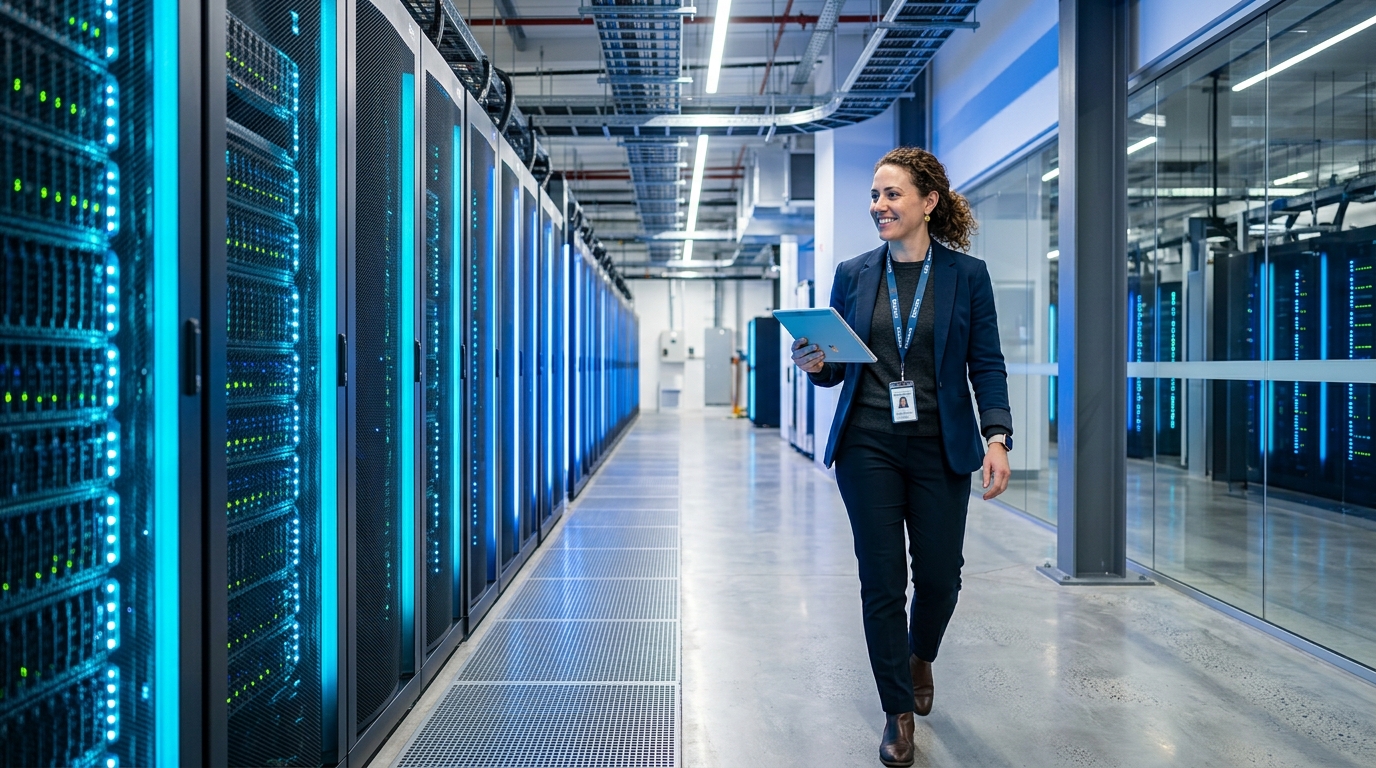
If you have driven through Western Sydney (Eastern Creek, Kemps Creek), Melbourne’s industrial corridors (Deer Park, Tullamarine), or regional technology hubs recently, you have likely noticed a dramatic transformation in the landscape: massive, monolithic buildings spanning tens of thousands of square metres, surrounded by high-security perimeters, dedicated electrical substations, and industrial cooling arrays.
These are hyperscale and colocation data centres in Australia—the physical engine rooms powering our national digital economy.
With billions of dollars pouring into infrastructure projects from cloud giants (including Microsoft data centres in Australia, AWS, Google Cloud, NextDC, and AirTrunk), business owners and the general public are increasingly asking:
“How many data centres are in Australia, why do we suddenly need so many, and what are the tangible benefits of cloud computing for my day-to-day business operations?”
Currently, there are over 300 commercial and hyperscale data centres in Australia, with the biggest data centres in Australia concentrated across Sydney and Melbourne. Behind these massive concrete walls lies the single most significant infrastructure transition in modern business history: the shift away from fragile, high-maintenance on-premises “server closets” to resilient, hyper-efficient cloud ecosystems.
What Is Driving the Boom in AI Data Centres Across Australia?
The rapid surge in data centres across Australia isn’t accidental. It is fuelled by three convergent forces reshaping how Australian businesses operate:
Generative AI Surge
LLMs, Copilot & Agentic AI require 10x compute density (40–100 kW per rack) and advanced liquid cooling.
Data Sovereignty
Australian Privacy Act, APRA CPS 234 & Essential 8 mandate secure on-shore data residency for citizen trust.
Retiring Server Rooms
SMEs are actively retiring fragile office server closets in favour of Microsoft 365, Azure & M-Files cloud platforms.
1. The Generative AI & High-Performance Compute Surge
Modern Artificial Intelligence tools—from Microsoft 365 Copilot to autonomous business workflows and document extraction models—require immense computing power. Standard server workloads draw 5 to 10 kilowatts (kW) per server rack; high-density AI clusters packed with modern GPUs draw 40 to 100 kW per rack. Meeting this demand requires purpose-built facilities engineered for ultra-dense computing and advanced liquid cooling.
2. Australian Data Sovereignty & Regulatory Compliance
Australian privacy legislation—enforced by the Office of the Australian Information Commissioner (OAIC)—alongside APRA CPS 234 information security standards for financial entities and strict healthcare compliance guidelines, has made data residency paramount.
Australian businesses cannot simply host sensitive client records, health information, or financial accounting data on overseas servers without exposing themselves to significant legal and cross-border regulatory liabilities. Expanding domestic data centre capacity ensures that data generated in Australia stays strictly within Australian legal jurisdiction.
3. The Retirement of the Dusty Office “Server Room”
A decade ago, almost every Australian small-to-medium enterprise (SME) maintained a dedicated server room—often a repurposed broom closet with a noisy wall-mounted rack, an aging split-system air conditioner, a blinking uninterruptible power supply (UPS), and a tangle of network cables.
Today, Australian businesses are rapidly retiring these on-site liabilities. Hosting business applications, files, and line-of-business databases in dedicated hyperscale facilities delivers vastly superior reliability, security, and economic efficiency.
Addressing Common Concerns: Power, Water, and Sustainability
With extensive media coverage surrounding the resource footprint of technology infrastructure, many community members and business leaders hold genuine environmental concerns regarding data centre energy and water consumption.
However, the reality of modern data centre engineering often surprises people:
- Massive Energy Efficiency Gains (PUE): An in-house office server closet operates with an abysmal Power Usage Effectiveness (PUE) rating of 2.0 to 2.5—meaning for every watt of power consumed by the server, another 1.5 watts are wasted on inefficient domestic air conditioning. In contrast, modern Australian hyperscale facilities achieve PUE ratings of 1.15 to 1.25, using cutting-edge adiabatic cooling and hot-aisle containment to reduce overall carbon footprints.
Power Usage Effectiveness (PUE): In-House Server Room vs. Modern Australian Hyperscale
* PUE (Power Usage Effectiveness) benchmark: 1.0 represents zero wasted energy. An in-house server room with 2.2 PUE wastes 1.2W on domestic cooling for every 1.0W of compute. Hyperscale facilities cut overhead to 0.15W.
- Renewable Power Investments: Cloud hyperscalers are the largest corporate buyers of renewable energy in Australia, entering multi-year Power Purchase Agreements (PPAs) that directly finance large-scale solar and wind projects across regional NSW, Victoria, and Queensland.
- Closed-Loop Water Systems: Modern data centres utilise closed-loop, chilled-water recirculation systems, meaning water is retained and reused rather than continuously consumed.
Consolidating thousands of inefficient, power-hungry office server closets into centralised, highly optimised facilities actually reduces the aggregate energy required to power Australian commerce.
The 6 Big Advantages of Cloud-Based Systems for Australian Businesses
For small-to-medium enterprises, transitioning your infrastructure to cloud-based systems hosted in these enterprise-grade data centres delivers immediate operational benefits:
Office Server Closet
- ✕ Single point of hardware failure & unexpected outages
- ✕ $20k–$40k mandatory capital replacement cycles
- ✕ Vulnerable to office blackouts, floods, and theft
- ✕ Slow, fragile remote VPN connections for staff
Enterprise Cloud (Azure / M365)
- ✓ 99.99% Uptime SLA with multi-site geo-redundancy
- ✓ Predictable, pay-as-you-grow monthly subscription
- ✓ Bank-grade physical security & biometric perimeter
- ✓ Seamless, ultra-fast access from anywhere in Australia
1. Bank-Grade Physical and Cyber Security
Could your business afford a dedicated 24/7 security guard team, multi-factor biometric mantraps, vehicle barriers, and military-grade perimeter monitoring for your office server room? In a cloud-hosted environment (such as Microsoft Azure or AWS), your digital assets inherit billions of dollars in physical and hardware-level cybersecurity protections by default.
2. Unmatched Reliability & 99.99% Uptime SLAs
When an in-house server experiences a motherboard failure, power supply blowout, or local NBN outage, your entire workforce comes to a standstill until a technician can source replacement hardware. Modern cloud platforms distribute workloads across Availability Zones—multiple physically separated data centres within the same region connected by ultra-low-latency optical fibre. If one facility loses power, your systems fail over seamlessly with zero disruption to staff.
3. Predictable OpEx Instead of Surprise CapEx
On-premises servers represent a ticking financial clock. Every 4 to 5 years, the hardware reaches end-of-life, forcing businesses into costly capital expenditure ($20,000 to $50,000+) to replace hardware, migrate software, and renew warranties. Cloud computing shifts technology into a predictable, pay-as-you-grow operational model (OpEx), allowing you to scale user licenses and storage dynamically up or down.
4. Instant Business Continuity & Disaster Recovery
If your office building suffers a localized fire, burst water pipe, electrical storm, or extended blackout, on-premises systems are instantly incapacitated. With cloud-hosted infrastructure (such as Microsoft 365 and M-Files Cloud), your business continues uninterrupted. Staff simply open their laptops at home, on a client site, or in a temporary workspace and resume productive work immediately.
5. High-Speed Enablement for Hybrid & Remote Teams
Legacy on-premises networks force remote employees through slow, cumbersome Virtual Private Networks (VPNs), resulting in sluggish document opening times and frequent connection drops. Modern cloud applications are optimized for global and regional edge delivery, giving hybrid staff fast, native access whether they are working in the office, from home, or travelling interstate.
6. Continuous Innovation & Future-Proofing
In a cloud architecture, software upgrades, security patches, and performance enhancements happen continuously in the background. Your team gains immediate access to the latest generative AI tools, collaborative workflows, and automated compliance frameworks without buying new physical hardware or scheduling weekend server downtimes.
Key Comparison: On-Premises Server vs. Cloud Infrastructure
| Evaluation Factor | On-Premises Server Closet | Modern Cloud-Hosted Infrastructure (Azure / M365) |
|---|---|---|
| Capital Investment | High upfront hardware cost ($20k–$50k+) | $0 upfront hardware cost (Monthly subscription) |
| Hardware Lifecycle | 4–5 years before mandatory replacement | Continuously modernised by cloud vendor |
| Disaster Resilience | Vulnerable to local office fire, flood, theft | Multi-facility geo-redundancy built-in |
| Energy Efficiency | High local electricity bills (poor PUE) | Optimised green hyperscale computing |
| Remote Performance | Bottlenecked by office upload bandwidth | Gigabit cloud backbone & local edge caching |
| Maintenance Burden | Requires manual fan/disk/UPS maintenance | Zero hardware maintenance required by your staff |
| Scalability | Limited by physical drive bays and RAM slots | Instant, on-demand scaling with a single click |
How Range Guides Your Cloud Journey
The explosion of Australian data centre infrastructure represents a golden opportunity for businesses to shed legacy technical debt and operate with the speed, agility, and security of a modern enterprise.
At Range, we help Australian businesses transition smoothly from legacy on-premises servers to secure, high-performing cloud environments—including Microsoft 365, Azure Virtual Desktop, and M-Files Intelligent Document Management. We manage the entire lifecycle: architecture planning, seamless data migration with zero business interruption, user onboarding, and 24/7 proactive management.
- Still maintaining a noisy server in the back room? Schedule a Cloud Migration Consultation with our senior engineers.
- Explore our comprehensive Cloud & Microsoft 365 Solutions.
- Calculate your transparent IT support investment on our Managed IT Pricing Guide.