
Still Finding Documents by Guessing Which Folder?
M-Files finds documents by what they actually are — the client, project, or job they belong to — not which folder they happen to be saved in. One governed system for every file your business creates.
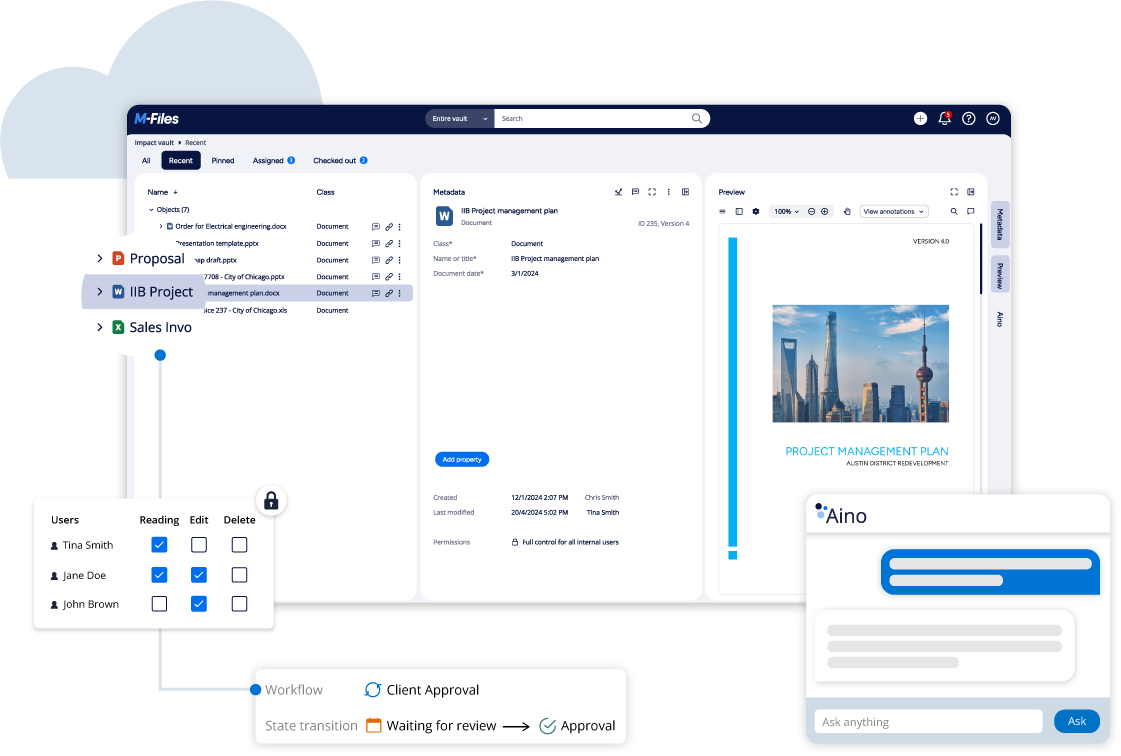
Search by client, agreement type, or project phase without browsing folder trees.
Sound familiar?
The everyday friction points that cost your team hours in search time and version confusion:
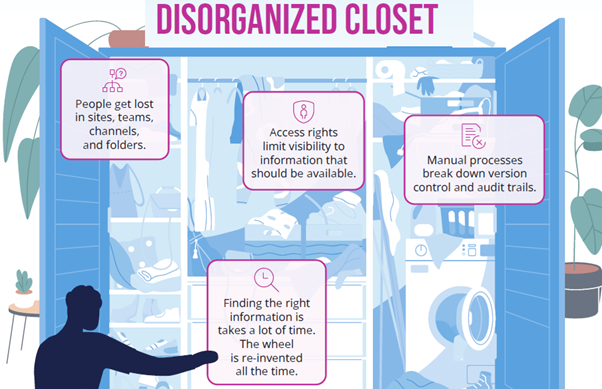
Nobody's sure which version is current
The same document exists in three different places — a shared drive, someone's inbox, a desktop folder — and nobody's entirely sure which one is the one that actually matters. Work happens on the wrong version more often than anyone would like to admit.
Finding anything means asking someone
New starters can't find what they need without asking a colleague where it's kept. Even experienced staff waste real time every week just hunting for the right file across drives, inboxes, and desktops.
“Isn't SharePoint already handling this?”
SharePoint stores files and does some of this — but it's built around folder structure and site permissions, not metadata and context. It gets harder to manage cleanly as the number of documents and sites grows, and most businesses end up with the same version-control and findability problems they started with.
Nobody's confident who can see what
Permissions get set once, when a folder's created, and rarely revisited. A year later, nobody's fully sure who has access to what — or whether someone who left the business still does.
Information, not just files
M-Files finds and manages every document by what it actually is — connected to the client, project, or job it belongs to, the way your business already thinks about it.
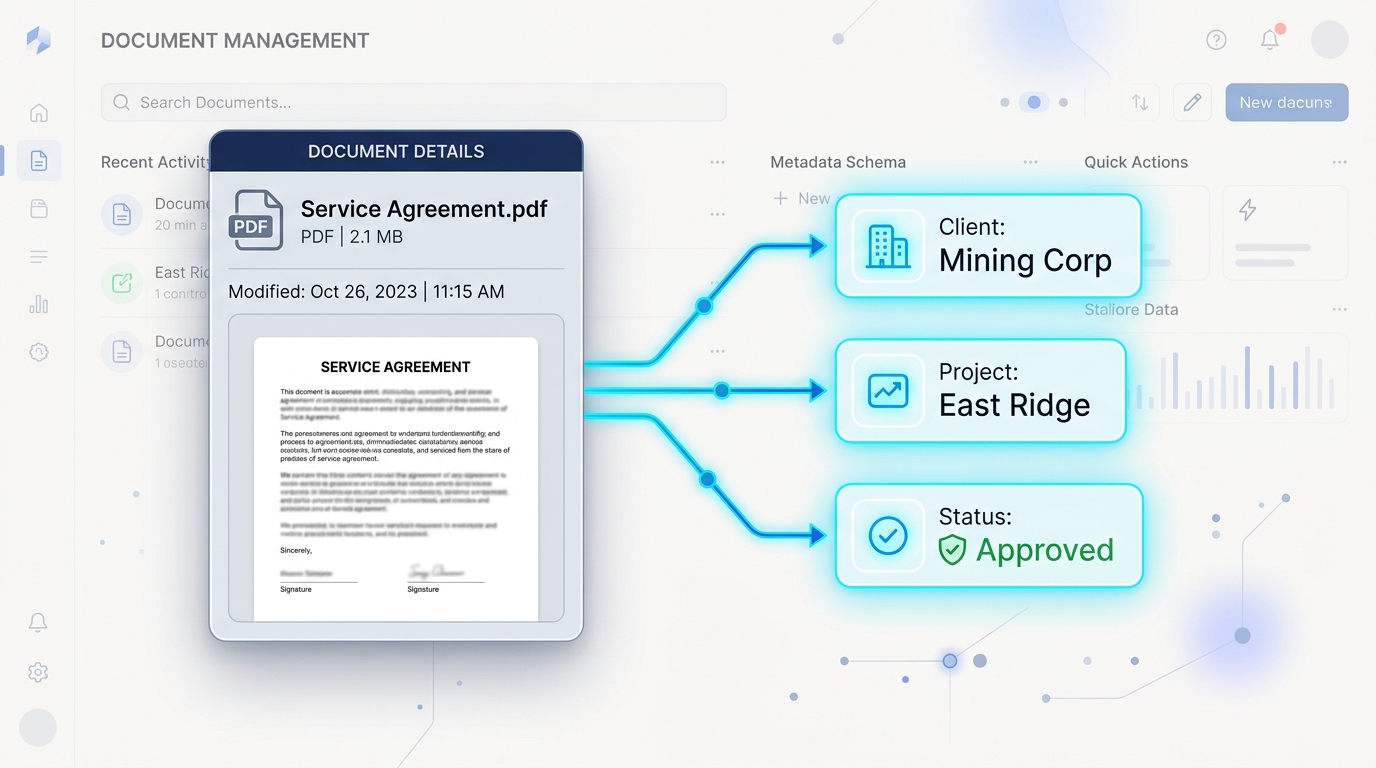
Find It By What It Is
Every document is findable by client, project, status, or any other property that matters to your business — not by remembering a folder path. Type what you're looking for and find it, the same way regardless of who saved it or where.
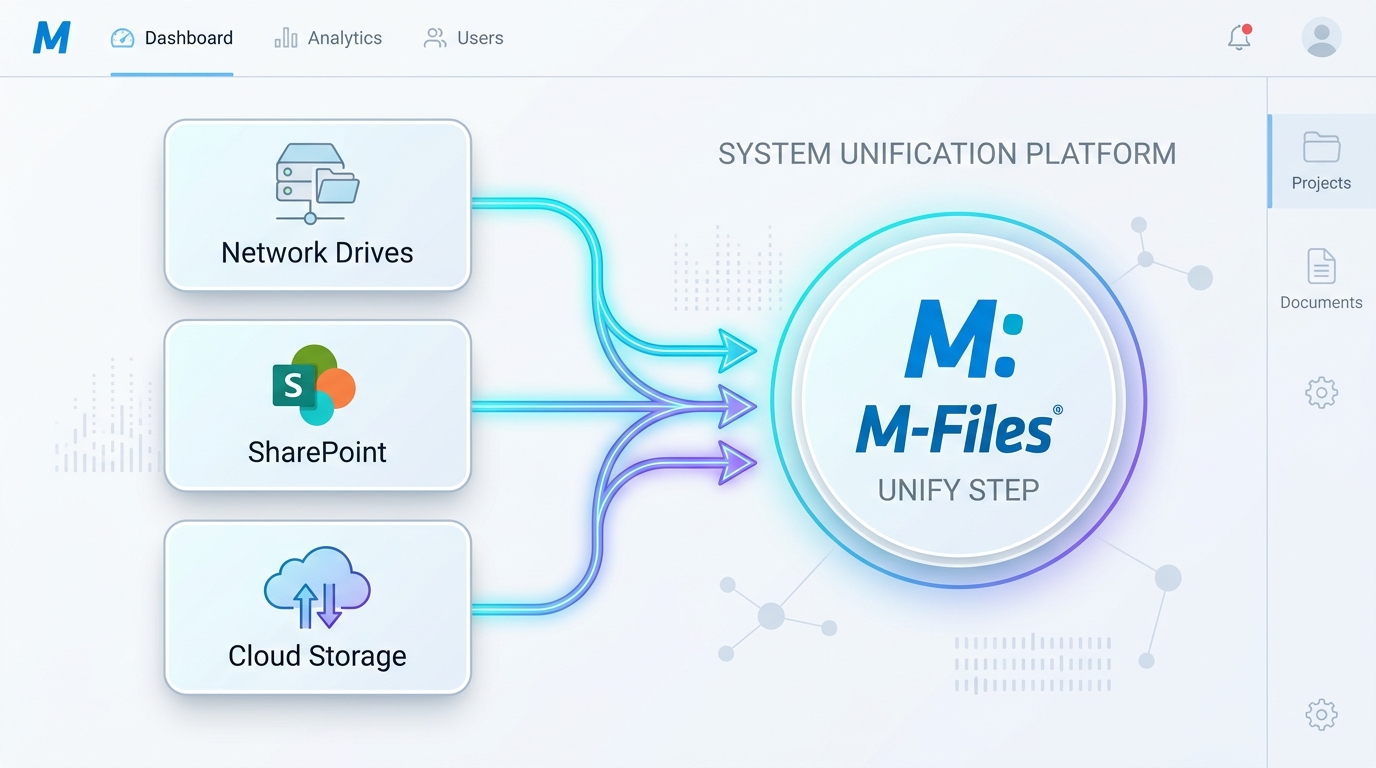
One Current Version, Always
Full version history behind every document, so there's never a question about which copy is the real one. Redlining, annotation, and easy link-sharing replace the email-attachment-and-hope cycle.
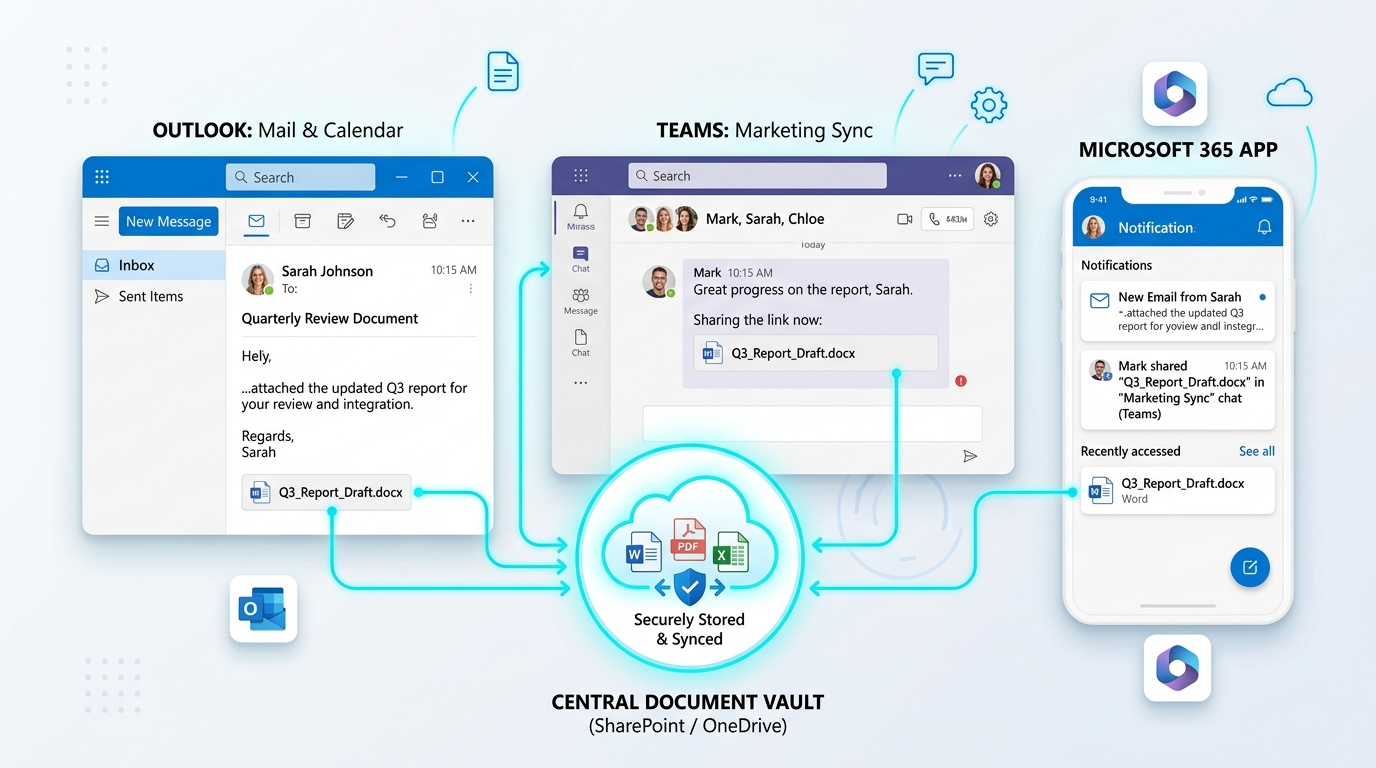
Works Where You Already Do, On Any Device
Embedded directly into Microsoft 365 — Outlook, Teams, SharePoint — so it's not a separate tool your team has to remember to use. Full support for Office documents, AutoCAD files, and Outlook correspondence, available on desktop, browser, or mobile — including offline mode.
Access Controlled Automatically
Permissions are based on what a document is and who's supposed to see it, not a folder someone configured once and forgot about. Access adjusts automatically as documents move through a workflow, not manually each time.
“We've been working with Range IT for over six years and have been consistently impressed with their service. Their document management system has been a great fit for our business, and their team is always responsive, professional, and willing to help with custom solutions.”

“We have trusted Range for all our IT needs for over 5 years now, in particular for our document management solution... the consultants at Range are always contactable and swift to resolve any issues.”
“M-Files itself is one of the most customisable systems and with Range's advice and expertise we have managed to automate and streamline many business processes — the reduction in paper use is staggering.”
Gartner Magic Quadrant
Leader & Visionary in Enterprise Content Services
Forrester TEI Study
Validated 301% ROI over 3 years

TrustRadius Top Rated
Top Rated Document Control 2026

Nucleus Research
Ranked Leader 10+ consecutive years
Common Questions About Document Management Systems
Clear answers for IT leads, operations directors, and business owners.
Stop guessing which folder it's in.
See how M-Files finds your documents by what they are, not where they're saved — with a demo built around how your business actually works.
Book a Free Demo →