
M-Files for Contracts — Contract Lifecycle Management, Ready to Deploy
Every agreement connected to the client, supplier, project and obligation it belongs to. Drafting, approval, signing and renewal run in one governed vault inside Word, Outlook and Teams, so nothing auto-renews unnoticed.
Pre-built contract classes · Approval workflows · Renewal alerts · DocuSign and Adobe Sign
Agreements are organised by counterparty, owner, status and key dates. Permissions and workflows follow that context automatically.
9.2%
Average Value Leakage
Typical annual erosion of contract value without active management (WorldCC)
50%
Easier Document Creation
Reported by M-Files customers who generate contracts from templates
90/60/30
Day Renewal Alerts
Notice windows surfaced before they close, not after
100%
Logged Activity
Every edit, approval and signature recorded against the agreement
Leakage figure: World Commerce & Contracting (WorldCC). Template figure: M-Files customer reporting. Results vary by organisation.
Sound familiar?
Four patterns we see in almost every Australian business before it moves contracts into a governed system.
The renewal nobody saw coming
The supplier agreement rolled over for another 12 months because the 90-day notice date lived in a PDF and a spreadsheet nobody owned.
Draft_v4_FINAL_approved(2).docx
Redlines move between legal, finance, sales and the counterparty by email. Nobody can say with confidence which version is current.
Insurances that quietly lapse
A subcontractor is on site while their public liability certificate expired three weeks ago. You find out after an incident, not before.
Slow, inconsistent drafting
Every NDA or services agreement starts from someone’s old file. Legal becomes a bottleneck, and fallback clauses are applied differently each time.
Four capabilities that do the heavy lifting
M-Files treats a contract as a business object with relationships, deadlines and obligations, not as a file in a folder.
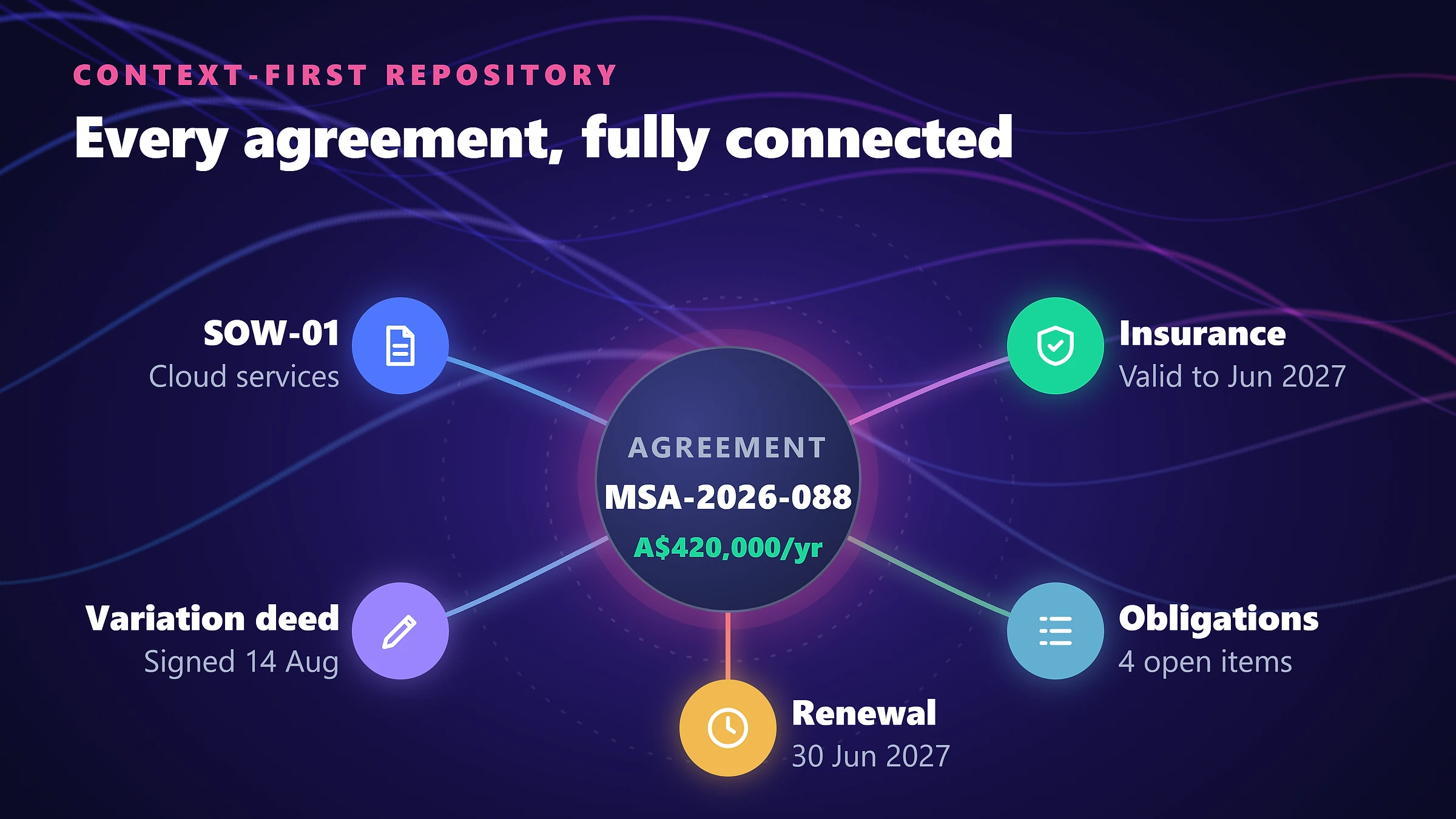
A governed, context-first repository
Contracts are found by what they are: counterparty, contract type, owner, lifecycle status, value and key dates. Open a client or supplier record and every related agreement, amendment and certificate is already there.
- ✓Access rights follow contract relationships, user roles and lifecycle stage
- ✓Lock agreements after execution so the signed version cannot be changed
- ✓Full version history with optional retention policies and legal holds
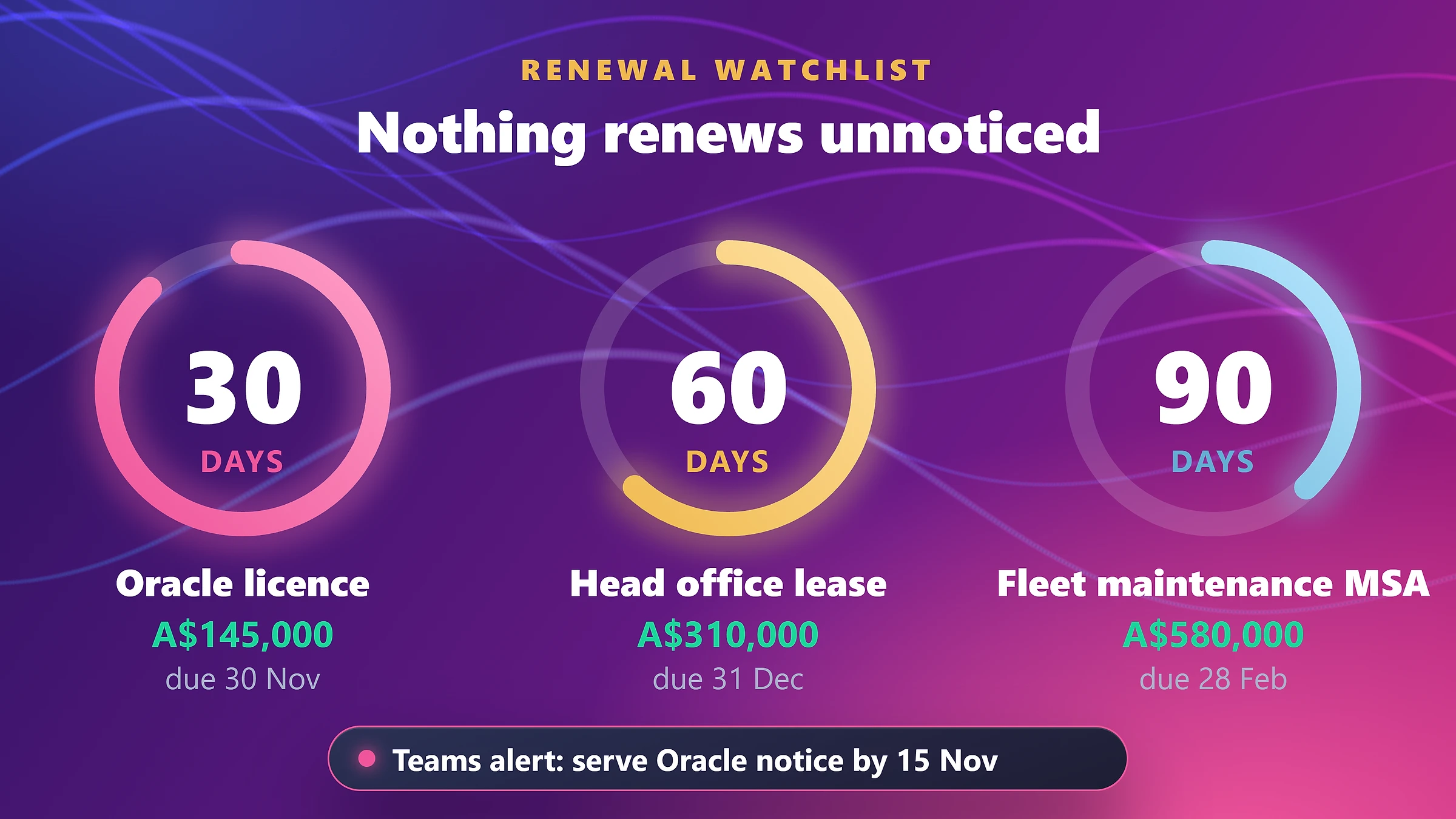
Renewals and obligations that chase themselves
Renewal notices, termination windows, price reviews, CPI indexation and insurance expiries are captured as dates on the record. M-Files Aino can suggest metadata from the document itself so dates are not retyped by hand.
- ✓Automated reminders at 90, 60 and 30 days, delivered in Teams and Outlook
- ✓Executive view of everything expiring this quarter, by owner and value
- ✓Triggers can start a renegotiation or review workflow, not just send an email
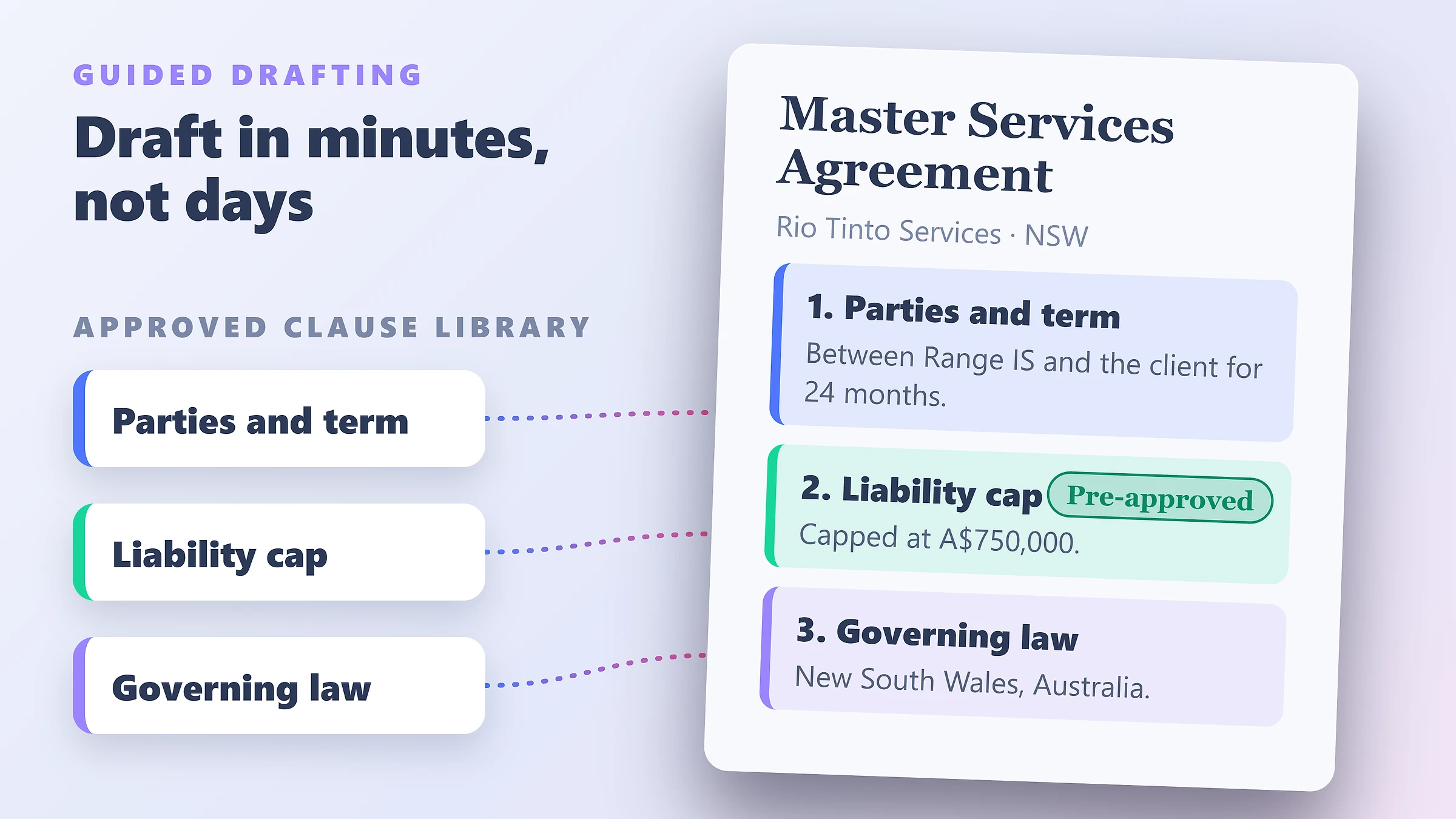
Consistent drafting with M-Files Ment
Legal approves the templates, clauses and fallback positions once. Business users answer a short guided questionnaire, or pull details from CRM or ERP, and receive a compliant first draft in minutes.
- ✓No-code template and clause library owned by legal, not IT
- ✓Counterparty details, payment terms and governing law populated automatically
- ✓Co-author in desktop Word with change tracking while M-Files manages versions
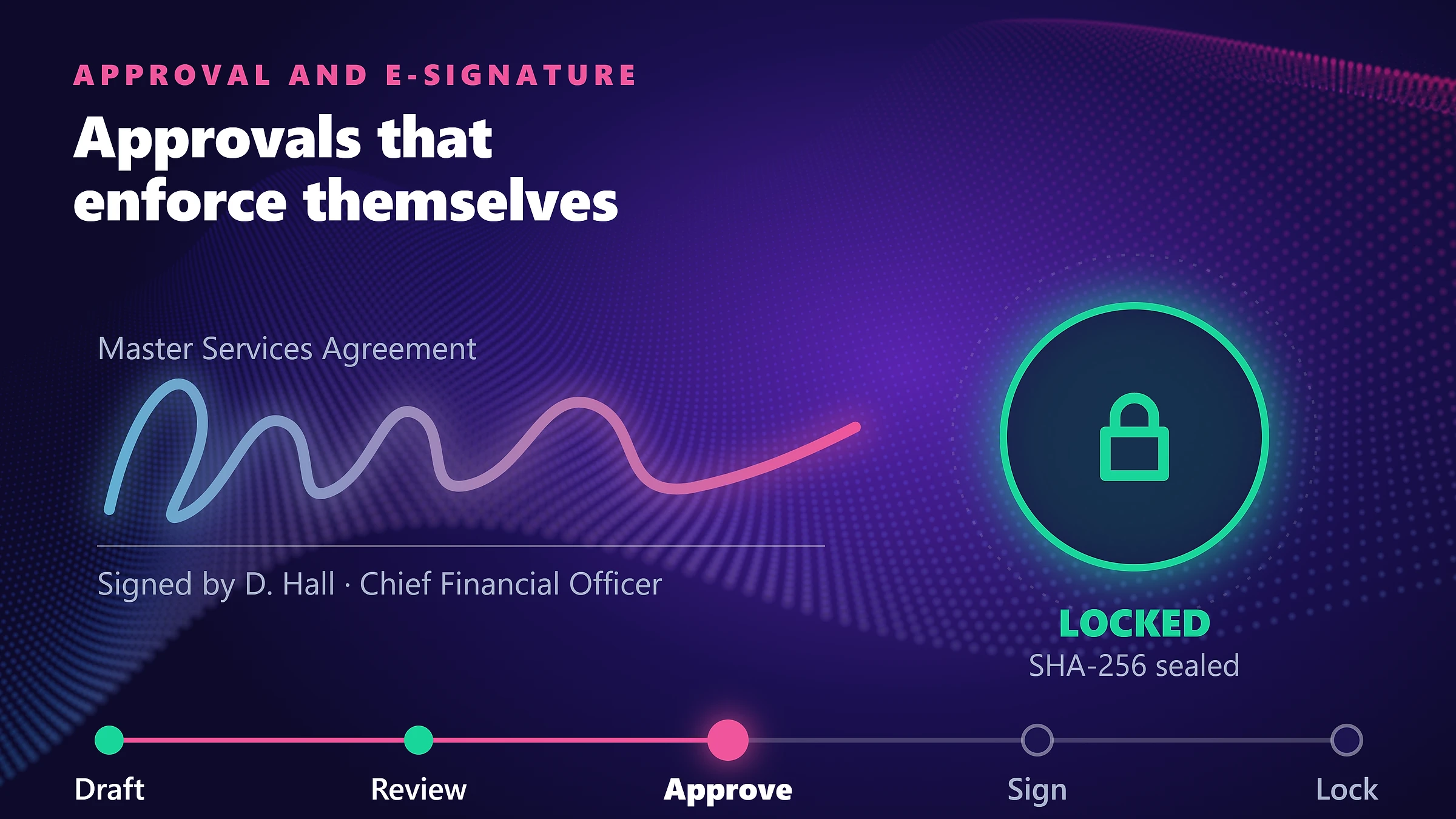
Approval and signing in one flow
Contracts move through review, legal check and financial delegation sign-off before they reach DocuSign or Adobe Acrobat Sign. The signed copy and certificate of completion return to the vault by themselves.
- ✓Counterparties sign by email on any device, with no M-Files licence
- ✓Delegation of authority enforced by contract value or type
- ✓Complete audit trail of who approved what, and when
From request to renewal, in one place
The vault ships with the lifecycle already modelled. Range adjusts approval paths and templates to match how your business actually works.
- Step 1
Request
A staff member starts a request and answers a few questions. Ment assembles the draft from approved clauses.
- Step 2
Review
Commercial and legal reviewers collaborate in Word. Every change is tracked against one version.
- Step 3
Approve
Delegation rules route the agreement to the right sign-off based on type and value.
- Step 4
Sign
DocuSign or Adobe Acrobat Sign collects signatures. The executed PDF returns and locks.
- Step 5
Manage
Key dates, obligations and insurances are monitored. Renewal alerts start the next cycle.
What is included in the Ready-to-Deploy vault?
A starting configuration built on contract-management practice, so you adapt it rather than invent it.
✓ Pre-built contract classes
NDAs, Master Service Agreements, Statements of Work, supplier and vendor contracts, employment agreements and equipment leases, each with the metadata that matters for that type.
✓ Approval lifecycle
Draft, commercial review, legal check, financial delegation sign-off, execution, active and expired, with states you can extend.
✓ Counterparty profiles
Supplier and client cards linking every active agreement, certificate of currency and compliance document, with expiry flags.
✓ Renewal and obligation tracking
Key-date properties, 90/60/30-day notifications and a portfolio view of upcoming expiries.
✓ Microsoft 365 integration
Work in Word, Outlook and Teams. Identity aligns with Microsoft Entra ID, and governance extends through Microsoft Purview.
✓ E-signature and CRM/ERP connections
DocuSign and Adobe Acrobat Sign out of the box. Connectors for Salesforce, Dynamics 365 and Business Central are scoped with Range.
Template content, clause libraries and approval thresholds are configured by Range with your legal and finance teams. Legal drafting advice remains with your own counsel.
Why start from a pre-built vault?
An empty platform makes you design every property, workflow and permission. A ready-to-deploy vault starts with those decisions made.
| Capability | Folders, email and spreadsheets | M-Files for Contracts |
|---|---|---|
| Finding an agreement | Folder paths and memory; duplicates across drives and inboxes | Search by counterparty, type, owner or status from one record |
| Renewal dates | Manual spreadsheet that drifts out of date | Dates held as metadata with automated reminders |
| Drafting | Copy an old file and edit by hand; legal reviews everything | Guided questionnaire using clauses legal already approved |
| Approvals | Email chains and verbal sign-offs | Enforced workflow with delegation limits and a full log |
| Signing | Print, sign, scan, re-file | E-signature with the executed copy filed automatically |
| Audit and disputes | Rebuild the history from inboxes | Complete version and approval history on the record |
We configure it around your contracts
Range has implemented M-Files for Australian organisations since 2012. The pre-built vault shortens the design stage, not the care taken with your data.
Scope the portfolio
We review contract types, approval rules and where agreements currently live, then agree what goes in first.
Configure and template
We tailor classes, workflows and delegation limits, and convert your core agreements into Ment templates.
Migrate and connect
We bring in existing contracts with metadata, and connect your CRM, ERP or accounting system where needed.
Train and support
Role-based training for legal, procurement and finance, with ongoing support from the same Australian team.
“City Fertility worked with Range IT on the implementation and roll out of M-Files, a fully featured QMS, Document Control system with additional modules. Working with Range was a great experience with dedicated team members who were very supportive and knowledgeable.”
Scott Osborne
Head, Risk and Compliance / Company Secretary — City Fertility

Gartner Magic Quadrant
Leader & Visionary in Enterprise Content Services
Forrester TEI Study
Validated 301% ROI over 3-year enterprise horizon
Nucleus Research
Ranked Leader 10+ consecutive years for usability
Certified Partner
Range is an Australian M-Files partner since 2012
Questions about M-Files for Contracts
Answers for legal counsel, procurement leads and finance executives.
1. What is M-Files for Contracts?↓
2. What is contract lifecycle management (CLM) software?↓
3. How does it prevent missed renewals?↓
4. What does M-Files Ment do?↓
5. Do counterparties need an M-Files licence to sign?↓
6. How is this different from SharePoint or Dropbox?↓
7. Does it work with Salesforce, Dynamics 365 or Business Central?↓
8. How long does deployment take?↓
9. Where is contract data stored?↓
Go deeper on contract management
Practical guides on automation, vendor compliance and choosing a CLM.
M-Files for Contracts: Market-Ready CLM Architecture
How pre-packaged contract metadata, approval chains and digital signatures shorten rollout.
12-Point Contract Management Software Checklist
The questions to ask any CLM vendor before you shortlist.
Contract Management with M-Files
The broader functional use case for governing corporate contracts across Microsoft 365.
Take the detail with you
Choose the PDF you want and we will email it straight to your work inbox, ready to share with your team.
Email me the PDF
FreeWe will send the PDF you selected to your work inbox.
Ready to take control of your commercial agreements?
Book a 30-minute walkthrough of the M-Files for Contracts vault with Range’s Australian information specialists. Practical demonstration, no sales pitch.