
Ending "Final_v7_FINAL.docx": Document Version Control That Staff Actually Use
Every Australian workplace has experienced it: an urgent client tender or critical policy document needs an update, and a quick search on the network drive reveals:
Strategic_Plan_2026_v2.docxStrategic_Plan_2026_v3_JW.docxStrategic_Plan_2026_Final.docxStrategic_Plan_2026_Final_v2_EDITS.docxStrategic_Plan_2026_FINAL_APPROVED_v7_clean.docx
Which file contains the board’s requested revisions? Which one went out to the client? And who made changes at 11:30 PM last night?
In organisations reliant on traditional shared network drives or unmanaged SharePoint folders, document version control is almost universally broken. It relies on an honour system of staff remembering to rename files, adhere to cryptic naming conventions, and avoid overwriting each other’s work.
According to workplace productivity studies published by IDC{target=“_blank” rel=“noopener noreferrer”}, knowledge workers spend up to 19.8% of their working hours searching for and gathering information, and nearly 83% of workers admit to losing time every day due to version control confusion.
When document control fails, the risks go far beyond wasted hours. Operating on outdated specifications causes manufacturing defects, sending obsolete contract terms exposes firms to severe commercial liability, and losing track of policy revisions breaches Australian regulatory standards such as ISO 9001 and the APRA CPS 234 information security framework.
Here is how modern information governance ends file-naming chaos permanently—replacing frantic manual renaming with a version control model that staff actually embrace.
Why File-Naming Conventions Always Collapse
Most organisations attempt to solve version chaos by writing an internal standard: “All staff must save files using ProjectName_DocumentType_YYYYMMDD_vX.X_Initials”.
Within six weeks, the system falls apart. Why?
- Human Friction Under Pressure: When an executive is rushing to finish a proposal at 5:00 PM on Friday, they do not pause to review a five-part naming formula. They save the file to their desktop or append
_FINALand attach it to an email. - Branching Conflicts: Two team members open
Proposal_v2.docxat 10:00 AM. Sarah saves her changes asProposal_v3_Sarah.docx. Liam finishes his modifications ten minutes later and saves over Sarah’s file or createsProposal_v3_Liam.docx. The document has now split into two divergent timelines. - Broken Hyperlinks: If an organisation uses shared folder paths or web links, renaming a file breaks every internal link in project management boards, task emails, and client onboarding packages.
- Email Attachment Sprawl: When staff cannot trust which file on the server is current, they stop looking. Instead, they email the document back and forth: “Hey team, please use this version attached to this email!” Suddenly, seven distinct copies reside in seven private mailboxes.
The 4 Principles of Frictionless Version Control
Modern information governance solutions like M-Files take a completely different architectural approach: metadata-driven content management. Rather than forcing users to manually manage versions through file names, version control is baked into the operating system and office applications automatically.
Here are the four pillars that make document version control effortless for everyday users.
1. The Single Object Principle (There Is Only Ever One File)
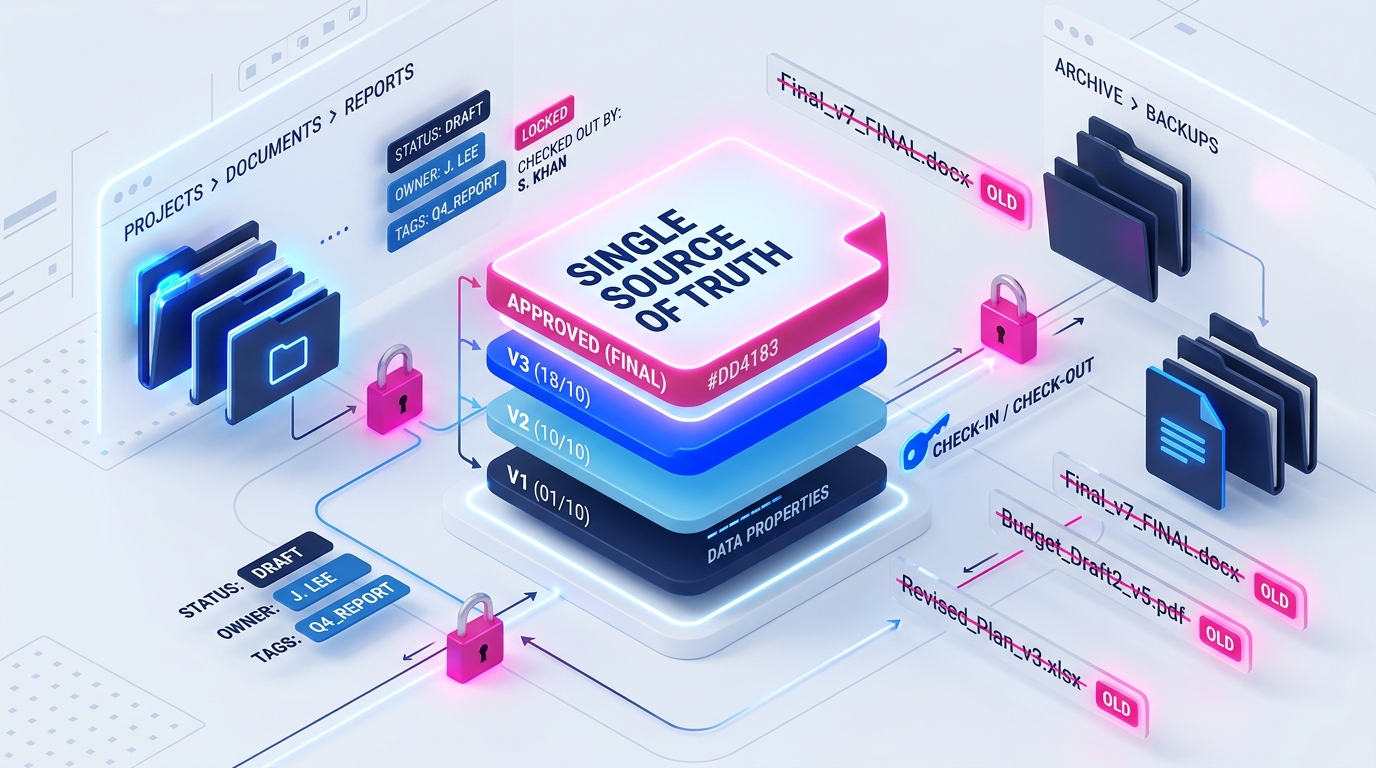
In an intelligent document management system, a document has exactly one identity, one location, and one name: Strategic Plan 2026.
Users never append _v2, _draft, or _final to the title. When a team member opens the document, edits it in Microsoft Word or Excel, and saves it, the platform automatically creates a new minor version (e.g. v1.1 to v1.2) behind the scenes.
- For the user: They simply click the document and work. The latest version is always presented by default.
- For the link: The URL or file link never changes. Any coworker clicking the link six months later is guaranteed to see the latest approved iteration.
2. Automatic Check-Out and Collision Prevention
To eliminate divergent file branches, M-Files introduces automated check-in/check-out mechanics that integrate natively with Windows File Explorer and Microsoft 365:
- When Liam opens a file for editing, the system places it in a Checked Out state under his name.
- If Sarah opens the same document simultaneously, the system immediately notifies her: “Checked out by Liam Smith since 10:14 AM”. Sarah can review a read-only copy or co-author in real time if configured, but she cannot accidentally overwrite Liam’s edits or generate a competing duplicate file.
- The moment Liam saves and closes the file, it checks back in, publishing the updated version to the entire organisation.
3. Native Visual Comparison (Diffing in One Click)
When an executive receives Contract_v4.docx, their biggest challenge is determining what actually changed compared to v3. In traditional environments, this requires opening two files side-by-side or manually running Word’s “Compare Documents” tool.
With metadata-driven version control, users simply right-click the document, select History, choose any two historical versions, and click Compare. The system leverages native delta rendering to instantly highlight every inserted sentence, deleted clause, or modified figure in redline format—complete with timestamps and user names.
4. Controlled Lifecycle Publishing (Draft vs Approved)
In regulated Australian industries—including manufacturing, healthcare, aged care, and financial services—documents must transition through formal workflow stages:
[Draft] ➔ [Internal Review] ➔ [Legal Approval] ➔ [Published / Effective]Under manual folder systems, staff frequently move files between folders like 01_Drafts, 02_Review, and 03_Approved. This breaks hyperlinks and frequently results in unapproved drafts being shared externally.
In M-Files, workflow states exist as metadata properties on the single document object:
- While in Draft, the document is only visible to the author and designated reviewers.
- When the Director of Compliance applies an electronic approval, the system increments the version to a formal major release (e.g.
v2.0), converts a release copy to PDF/A for archiving, and automatically publishes it to the company-wide intranet or client portal. - Frontline staff never see the raw drafting iterations; they only ever have access to the latest approved revision.
Comparing Document Control Systems: Shared Drives vs SharePoint vs M-Files
| Feature / Capability | Shared Network Drive (Z:) | Basic SharePoint / OneDrive | M-Files Intelligent Document Management |
|---|---|---|---|
| Version History | ❌ Manual file renaming (_v2_final) | ⚠️ Basic list of version numbers | ✅ Comprehensive version stack with full rollback |
| Visual Comparison | ❌ Manual side-by-side review | ⚠️ Basic Word compare only | ✅ 1-click native comparison for Word, Excel, PDF |
| Broken Links on Rename | ❌ 100% of links break | ⚠️ Links break if moved across libraries | ✅ Zero broken links (metadata-addressed object ID) |
| Audit Log Attribution | ❌ Windows modified date only | ⚠️ Basic user timestamp | ✅ Tamper-evident audit trail with reason-for-change |
| Workflow State Control | ❌ Manual folder shuffling | ⚠️ Power Automate required | ✅ Built-in visual workflows with role-based sign-offs |
| ISO 9001 Compliance | ❌ High risk of audit non-conformance | ⚠️ Significant admin configuration | ✅ Audit-ready out of the box with zero-duplicate policy |
How Australian Businesses Implement Version Control Without User Pushback
The number one reason document governance initiatives fail is change resistance. If a new system requires staff to fill out ten mandatory forms before saving a document, staff will find workarounds—saving documents to local desktop drives or personal cloud accounts.
To ensure rapid, enthusiastic adoption, Range IS deploys a four-stage rollout methodology:
- Keep the Windows Experience Familiar: M-Files integrates directly into Windows File Explorer, Microsoft Outlook, and Microsoft 365. Staff can save, search, and open files exactly like they always have, without having to switch into a complex web browser portal.
- Automate Metadata Tagging: By leveraging AI-powered metadata extraction, M-Files automatically detects document types, client names, and project codes from the content itself, reducing user input to zero or one click.
- Eliminate Folder Graveyards: Rather than browsing through eleven nested subfolders to locate a file, staff find documents using dynamic views based on what the document is, not where someone decided to save it.
- Mandate Single-Source Sharing: Replace email attachments with secure document links. When team members share links instead of file copies, all collaboration happens on the same live file, permanently stopping version divergence.
Move from File-Naming Chaos to True Document Clarity
Operating your business on filenames like Final_v7_FINAL.docx is not just inefficient; it is a measurable operational and legal liability.
With modern, metadata-driven document management, your team can eliminate duplicate files, maintain audit-ready version records, and ensure every employee always accesses the single source of truth.
Experience Metadata-Driven Version Control in Action
Discover how easy document governance can be when your tools do the heavy lifting:
- Schedule a Personalised Demonstration: Book a 30-minute tailored demonstration with our Australian document specialists.
- Try M-Files Free for 30 Days: Register for a full-featured 30-day M-Files trial{target=“_blank” rel=“noopener noreferrer”} and see how automated version control streamlines your everyday workflow.