
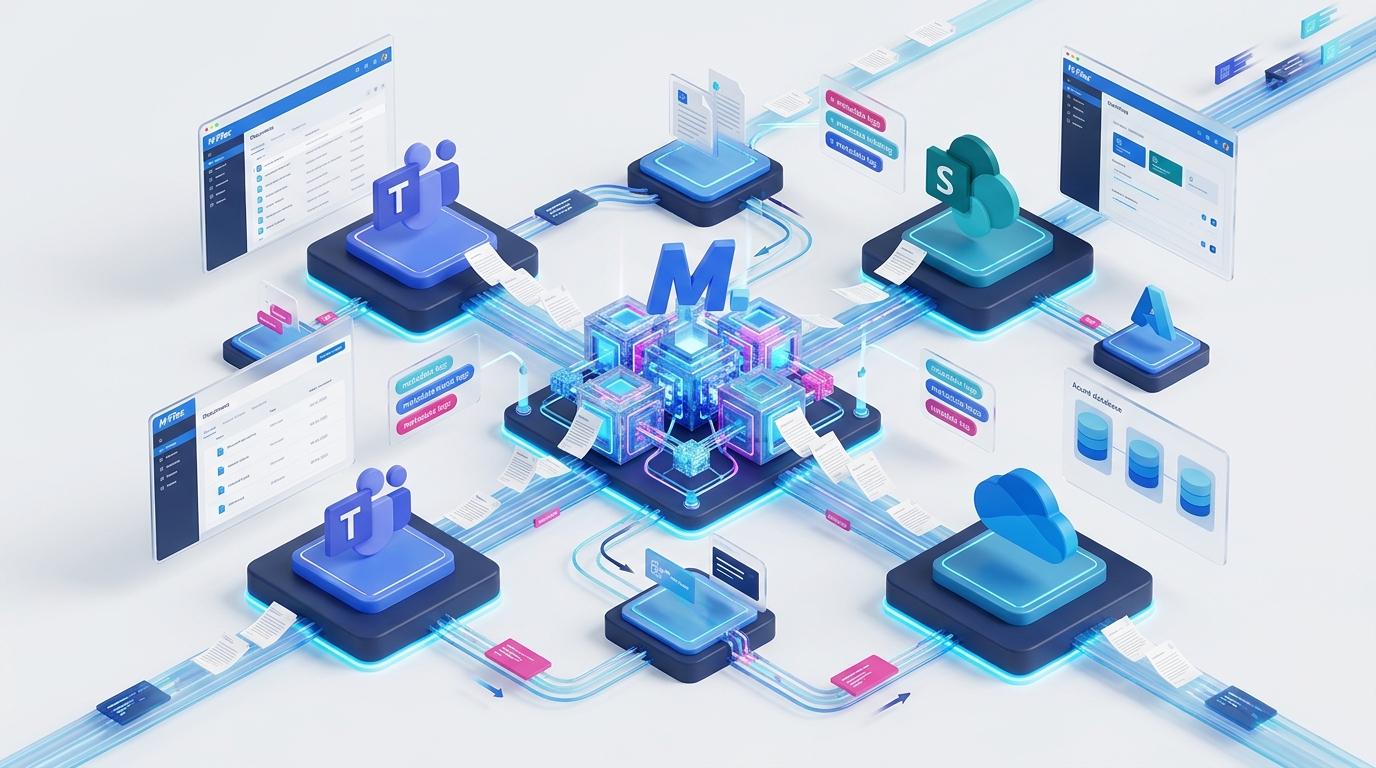
M-Files and Microsoft Expand Strategic Partnership: What SharePoint Embedded Means for Australian Enterprises
The End of the “Microsoft 365 vs. Dedicated DMS” Dilemma
For over a decade, Australian organisations evaluating document management have faced an uncomfortable compromise:
- Option A: Rely purely on native Microsoft 365 (SharePoint, OneDrive, Teams).
Staff enjoy effortless real-time co-authoring and familiar user interfaces, but operations and compliance teams quickly drown in 10-folder-deep hierarchies, accidental duplicate files, broken link permissions, and an inability to enforce structured quality or lifecycle governance. - Option B: Deploy a traditional standalone Document Management System (DMS).
The business gains strict metadata, version control, and auditable approval workflows, but forces employees out of their native Microsoft workflow into a disconnected “third-party repository,” creating user friction, training overhead, and duplicate file storage.
The expanding global partnership between M-Files and Microsoft—headlined by the deep architectural integration of SharePoint Embedded—has eliminated this dilemma entirely.
By embedding M-Files’ industry-leading metadata engine directly into Microsoft’s headless cloud storage layer, Australian businesses can now retain the fluid collaboration of Microsoft 365 while overlaying the zero-folder governance, automated workflows, and compliance guardrails of M-Files.
Architectural Breakthrough: Understanding SharePoint Embedded
To appreciate why this partnership is generating significant attention across enterprise IT leaders, it helps to understand what SharePoint Embedded actually is.
Microsoft Teams, Outlook, Word, Excel & M-Files Web — Staff work in familiar interfaces with zero context-switching.
Dynamic Metadata Engine, Automated CAPA Workflows & AI Grounding for Copilot.
Headless API storage inside your Australian M365 tenant, protected by Microsoft Purview & Entra ID.
SharePoint Embedded is an API-first, headless storage architecture provided by Microsoft Azure. Unlike standard SharePoint Online—which dictates its own user interface, site collections, and rigid folder libraries—SharePoint Embedded operates purely as a secure storage engine.
When M-Files leverages SharePoint Embedded:
- Your content stays inside your Microsoft 365 security boundary: Documents reside within your existing Australian Microsoft tenant, governed by your Microsoft Purview data loss prevention (DLP) policies and Entra ID identity controls.
- M-Files powers the intelligence and user experience: M-Files manages the metadata tagging, relationship mapping (linking contracts to clients, projects, and invoices), automated lifecycle stages, and permission rules.
- Zero file synchronization or data replication: There are no duplicate file copies floating between disparate systems. You get single-instance storage with multi-system intelligence.
Grounding Microsoft Copilot with Metadata: Preventing AI Hallucinations & Leaks
One of the most powerful outcomes of the deepened M-Files and Microsoft partnership is the ability to ground Microsoft 365 Copilot in governed, metadata-verified business records.
When organisations deploy Microsoft Copilot across unstructured SharePoint sites without rigorous governance, two dangerous problems routinely emerge:
- Unauthorised Internal Data Exposure: If permissions on a legacy SharePoint folder are improperly configured (e.g. set to “Anyone with the link” or broad internal access), Copilot queries may inadvertently surface confidential executive payroll records, merger documents, or disciplinary reviews to general staff.
- AI Hallucinations from Outdated Drafts: In a traditional folder structure with six different versions of a master agreement (
Master_v1.docx,Master_v2_FINAL.docx,Master_v2_reviewed_FINAL_JW.docx), Copilot cannot reliably distinguish which document represents the legally binding version.
Legacy Shared Drives
- ✕ 6 duplicate copies of the same file across folders
- ✕ Unclear document status ("Master_FINAL_v2_JW.docx")
- ✕ Broad folder permissions leak confidential records
- ✕ Copilot indexes stale drafts and generates AI hallucinations
Governed Metadata Architecture
- ✓ 1 single unique object with automatic version history
- ✓ Explicit workflow state ("Approved / Executed")
- ✓ Dynamic role-based permissions inherited from metadata
- ✓ Copilot queries only verified, active company truth
M-Files solves this permanently:
- Dynamic Access Control: M-Files enforces automatic permission inheritance based on document metadata (e.g.
Document Type = Executive Remunerationautomatically restricts access to HR and Board members), ensuring Copilot never indexes or returns unauthorised snippets. - Verified State Indexing: M-Files passes verified metadata states (e.g.
Workflow State = Approved,Effective Date = 2026-08-01) directly to Microsoft Search and Copilot, guaranteeing that generated summaries reflect current, approved company truth.
Key Operational Advantages for Australian Businesses
| Capability | Legacy SharePoint / Shared Drives | M-Files + Microsoft 365 Integration |
|---|---|---|
| Document Organisation | Rigid, brittle folder structures | Dynamic Metadata (find by what it is, not where it is saved) |
| Microsoft Teams Integration | Basic file tabs per channel | Full M-Files Views & Workflows embedded inside Teams channels |
| Microsoft Outlook Ingestion | Manual drag-and-drop to folders | 1-Click AI Metadata Tagging and automatic email conversation threading |
| Real-Time Co-Authoring | Native in Word / Excel Online | Fully preserved via SharePoint Embedded backend |
| Audit Trails & Versioning | Basic revision history | Immutable, tamper-evident audit logs meeting ISO & regulatory standards |
| Compliance Retention | Manual archiving rules | Automated lifecycle disposal aligned with Australian Privacy Act & OAIC |
| External Client Portals | Clunky guest access links | Branded, secure Hubshare client collaboration spaces |
Industry Use Cases: Where the Partnership Excels
1. Legal & Professional Services
Australian legal practices and advisory consultancies can draft advices and contracts inside Microsoft Word while M-Files automatically captures matter numbers, managing partner approvals, and client billing codes in the background. Staff work seamlessly from Outlook and Word without opening a separate software window.
2. Engineering, Mining & Construction
Project teams manage complex drawing revisions, Transmittals, and Australian Standards compliance. By leveraging SharePoint Embedded, multi-gigabyte BIM files and CAD specifications benefit from Azure’s high-speed global CDN, while M-Files automates the review, revision sign-off, and contractor distribution workflow.
3. Quality Management & ISO Certification
Organisations certified to ISO 9001, ISO 14001, or ISO 27001 can conduct audits in real time. Auditors can review Standard Operating Procedures (SOPs), Corrective and Preventive Actions (CAPAs), and employee training acknowledgements directly within M-Files, confident that every record is verified, dated, and stored within their Microsoft 365 environment.
The Range Advantage: Certified Across Both Ecosystems
Many IT providers understand Microsoft 365 but lack information architecture and governance expertise. Conversely, traditional DMS vendors rarely understand the complexities of Azure tenant configurations, Microsoft Purview sensitivity labels, and enterprise endpoint management.
As a certified Microsoft Solutions Partner and M-Files Premier Partner, Range bridges this divide. We design, deploy, and support unified information management ecosystems that maximize your return on Microsoft 365 while giving your teams the effortless, folder-free power of M-Files.
Experience the Future of Document Governance
- Want to see how M-Files and Microsoft 365 integrate in your specific environment? Schedule a 30-Minute Workflow Consultation with our Australian team.
- Ready to test the platform yourself? Launch an Instant 30-Day M-Files Sandbox Trial{target=“_blank” rel=“noopener noreferrer”}.
- Learn more about our M-Files Document Management Solutions and Microsoft 365 Cloud Services.