
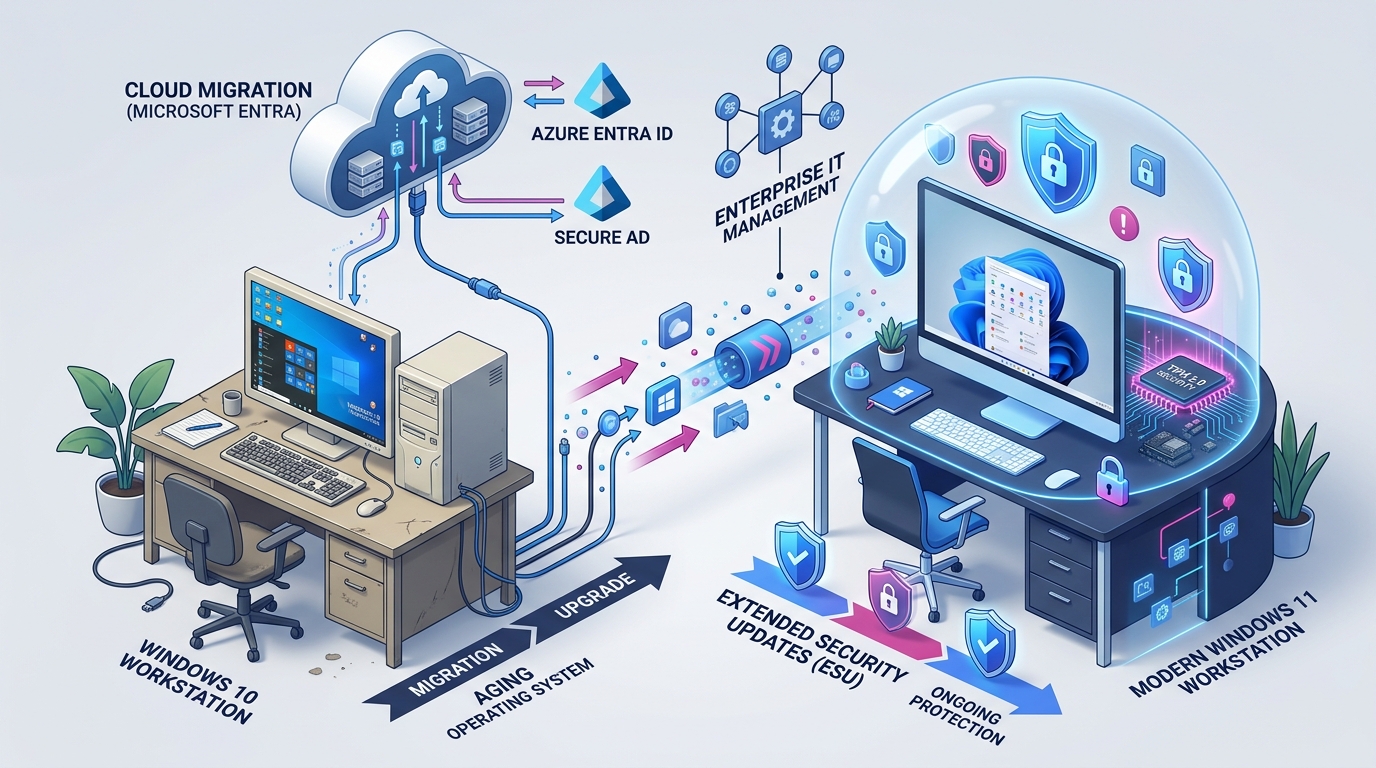
Still on Windows 10? What the October 2026 ESU Milestone Means for Businesses
The October 2026 Milestone: Windows 10 Enters Year 2 of Paid Life Support
Twelve months ago—on 14 October 2025—Microsoft officially retired standard technical support and free security patches for the Windows 10 operating system. For Australian organisations that could not migrate their fleet in time, Microsoft offered a temporary safety net: the Extended Security Updates (ESU) program.
Now, as we pass October 2026, Australian businesses face a critical milestone: Year 1 of the ESU program has concluded, and Year 2 has begun.
For business owners and IT managers, this milestone brings two immediate operational challenges:
- The Compounding Cost Cliff: Microsoft’s commercial ESU licence fees double in Year 2, escalating from $61 USD (~$95 AUD) per endpoint in Year 1 to $122 USD (~$190 AUD) per device in Year 2, with costs set to double again in Year 3.
- The “Free Consumer Extension” Trap: In mid-2026, tech headlines reported that Microsoft extended free security updates for Windows 10 consumers through October 2027. Many Australian managing directors assumed this grace period applied to their company workstations. It does not.
Let us unpack the reality of Microsoft’s licensing policy, the compliance risks under the Australian Cyber Security Centre (ACSC) guidelines, and how to execute a cost-effective Windows 11 fleet transition.
The Consumer vs Business ESU Confusion: Does the Extension Cover You?
In late June 2026, technology outlets reported on updates to Microsoft’s lifecycle guidance (as analysed by BleepingComputer). Microsoft quietly extended select free consumer ESU programs to mitigate e-waste from millions of unmanaged home PCs.
However, Microsoft’s licensing rules strictly separate personal retail devices from enterprise business environments.
| Device Type / Architecture | October 2026 Status | Licence Cost | Compliance Impact |
|---|---|---|---|
| Standalone Personal / Home PC | Covered (Consumer Program) | $0 (Free through 2027) | Personal use only; no corporate domain. |
| Domain-Joined Business PC (Active Directory / Entra ID) | Requires Commercial ESU (Year 2) | ~$190 AUD per PC / year | Mandatory for insurance & Essential Eight. |
| Windows 365 Cloud PC (Virtual Desktops) | Included Automatically | $0 (Included in subscription) | Updates applied at cloud fabric level. |
| Laptops Without ESU Licences Installed | Unpatched & Vulnerable | $0 (Zero protection) | High security risk; breaches cyber insurance. |
If your business laptops or desktops sign in to a corporate domain, authenticate against Microsoft Entra ID (formerly Azure AD), or run Windows 10 Pro / Enterprise editions, you must either pay for Year 2 commercial ESU licences or upgrade to Windows 11 immediately.
The Compounding Risks of Lingering on Windows 10
Treating ESU as a permanent strategy is an expensive trap. Staying on Windows 10 exposes Australian small-to-medium enterprises (SMEs) to three compounding penalties:
Windows 10 ESU Compounding Cost vs. Windows 11 Modernisation ROI
1. Cyber Insurance Policy Invalidations
Australian underwriters have tightened policy requirements around operating system lifecycle governance. When completing annual cyber insurance declarations, you are asked: “Are all operating systems and software applications currently within active vendor support?”
If your fleet runs Windows 10 without active ESU licences, your answer is legally negative. In the event of a breach, forensic investigators will inspect patch levels. If unpatched Windows 10 vulnerabilities contributed to the intrusion, insurers reserve the contractual right to reject the claim.
Review our guide on mandatory controls for Australian cyber insurance to understand policy exclusions.
2. ACSC Essential Eight Compliance Failures
The ACSC Essential Eight framework requires organisations to “Patch operating systems”. Under Maturity Level 1, vulnerabilities assessed as critical must be patched within one month; under Maturity Level 2 and 3, patches must be applied within 48 hours.
An unpatched or unsupported operating system represents an automatic failure of this baseline control, preventing your organisation from qualifying for federal, defence, or tier-one corporate supply chain tenders.
3. Software Vendor Abandonment
It is not just Microsoft: third-party enterprise vendors—including accounting software, CRM plugins, browser engines, and PDF editors—are systematically phasing out Windows 10 compatibility in their 2026/27 product releases. Running an unsupported OS means running legacy business applications with declining reliability.
The Three-Phase Migration Blueprint for Australian Businesses
Transitioning an SME fleet to Windows 11 does not have to disrupt billable operations. Range IT executes migrations using a structured, zero-friction methodology:
Phase 1: Fleet Capability Audit
├── Run automated Endpoint Analytics in Microsoft Intune
├── Identify devices meeting Windows 11 hardware specs (TPM 2.0, CPU)
└── Separate fleet into "In-Place Upgrade" vs "Hardware Replacement"

Phase 2: Modern Cloud Provisioning
├── Configure Windows Autopilot and Intune configuration profiles
├── Package business line applications (Xero, MYOB, M-Files, Teams)
└── Apply Essential Eight security baselines and BitLocker encryption

Phase 3: Staged Rollout & Legacy Decommission
├── Deploy pilot group (10% of users) to validate peripheral compatibility
├── Execute phased weekend rollouts across remaining departments
└── Securely wipe retired endpoints in compliance with data privacy standards
For older desktop machines that lack TPM 2.0 cryptographic microchips or compliant 8th Gen processors, spending money on ESU licences is throwing good money after bad. Read our analysis on the true cost of making do with old computers to evaluate the hidden productivity tax of sluggish hardware.
Modernise Your Fleet with Range IT
Do not let escalating ESU fees drain your IT budget while your business carries avoidable cyber risk. Modernising to Windows 11 gives your team enhanced security isolation, faster boot times, and seamless access to AI tooling like Microsoft 365 Copilot.
Explore our managed technology offerings:
- Proactive Managed Infrastructure: Learn how Range IT Managed Services takes complete ownership of endpoint patch management and lifecycle hardware refreshing.
- Essential Eight Alignment: Discover our tailored Cybersecurity and Compliance frameworks designed specifically for Australian SMEs.
Ready to audit your fleet and eliminate Windows 10 vulnerabilities? Contact the Range IT Engineering Team today to book a comprehensive Windows 11 readiness assessment.