
M-Files 2026 Editions Explained: Essentials vs Enterprise
The Modern Licensing Landscape: Context-First Document Management
When business leaders, IT directors, and practice managers evaluate document management platforms, software licensing is often unnecessarily complicated. Historically, acquiring a Document Management System (DMS) meant navigating confusing matrices of base server licences, named user seats, read-only web viewers, and fragmented add-on modules for optical character recognition (OCR), mobile access, and workflow automations.
M-Files has streamlined this landscape around its core philosophy: Context-First Document Management. By organising information by what it is and how it is used rather than where it is stored, M-Files eliminates folder chaos and connects documents directly to the business processes they support.
Central to this modern experience is the M-Files Platform, which unifies two core cloud packages: M-Files Essentials and M-Files Enterprise.
Both editions leverage the M-Files Enterprise Knowledge Graph and embed M-Files Aino—the platform’s trusted Artificial Intelligence fabric—alongside native Microsoft 365 cloud integrations (including co-authoring in Word, Excel, and PowerPoint, seamless Microsoft Teams integration, and Microsoft Copilot grounding).
For Australian organisations, selecting the right package comes down to understanding your operational requirements: Which edition delivers the exact capabilities your team needs to work productively while ensuring compliance and governance?
Let us examine how Essentials and Enterprise compare, explore specialised deployment options such as Premium Cloud, and help you determine the optimal platform configuration for your organisation.
The Two Platform Packages at a Glance: Essentials vs Enterprise
M-Files Cloud is hosted securely within Australian Azure data centres, supporting domestic data sovereignty and compliance under the Australian Privacy Act 1988.
The platform is structured across two primary packages:
- M-Files Essentials: Built for organisations starting their context-first document management journey. Essentials delivers fast time to value with minimal administrative complexity, providing core metadata-driven document control, native Microsoft 365 integration, graphical workflows, and built-in Aino AI assistance for everyday document tasks.
- M-Files Enterprise: Designed for organisations that require advanced intelligence, governance, and process automation to scale operations with complete control. Enterprise adds autonomous Aino agents, enterprise-grade security controls (federated authentication and Azure Key Vault key management), custom versioning schemes, extended audit logging, automated document rendering, no-code document generation, and secure external collaboration via M-Files Hubshare.
| Platform Capability | Essentials | Enterprise (Most Popular) |
|---|---|---|
| Context-First Document Foundation & Enterprise Knowledge Graph | ✓ Included | ✓ Included |
| Microsoft 365 Native Co-Authoring (Word, Excel, PowerPoint, Teams, Outlook) | ✓ Included | ✓ Included |
| M-Files Aino: Everyday AI Assistance (Search, Summarisation & Contextual Chat) | ✓ Standard Capacity | ✓ Expanded Capacity |
| Workflow Automation Engine (Graphical Visual Workflows & Approvals) | ✓ Standard Workflows | ✓ Advanced Multi-Stage |
| Security, Role-Based Access Controls & Standard Audit Trails | ✓ Included | ✓ Included |
| Version Control & Document Lifecycle Management | ✓ Standard Versioning | ✓ Custom Versioning Schemes |
| Purpose-Built Aino Agents (Autonomous Metadata Extraction & Classification) | — | ✓ Included |
| Advanced Security (Federated Authentication & Enterprise Key Management) | — | ✓ Azure Key Vault |
| Extended Audit Log (Additional Events & Compliance Export Capabilities) | — | ✓ Included |
| Advanced Rendering (Automated Formatting, Controlled Printing & Watermarks) | — | ✓ Included |
| No-Code Document Automation & Assembly | — | ✓ Included |
| Secure External Collaboration & Branded Client Portals (M-Files Hubshare) | — | ✓ Hubshare Workspaces |
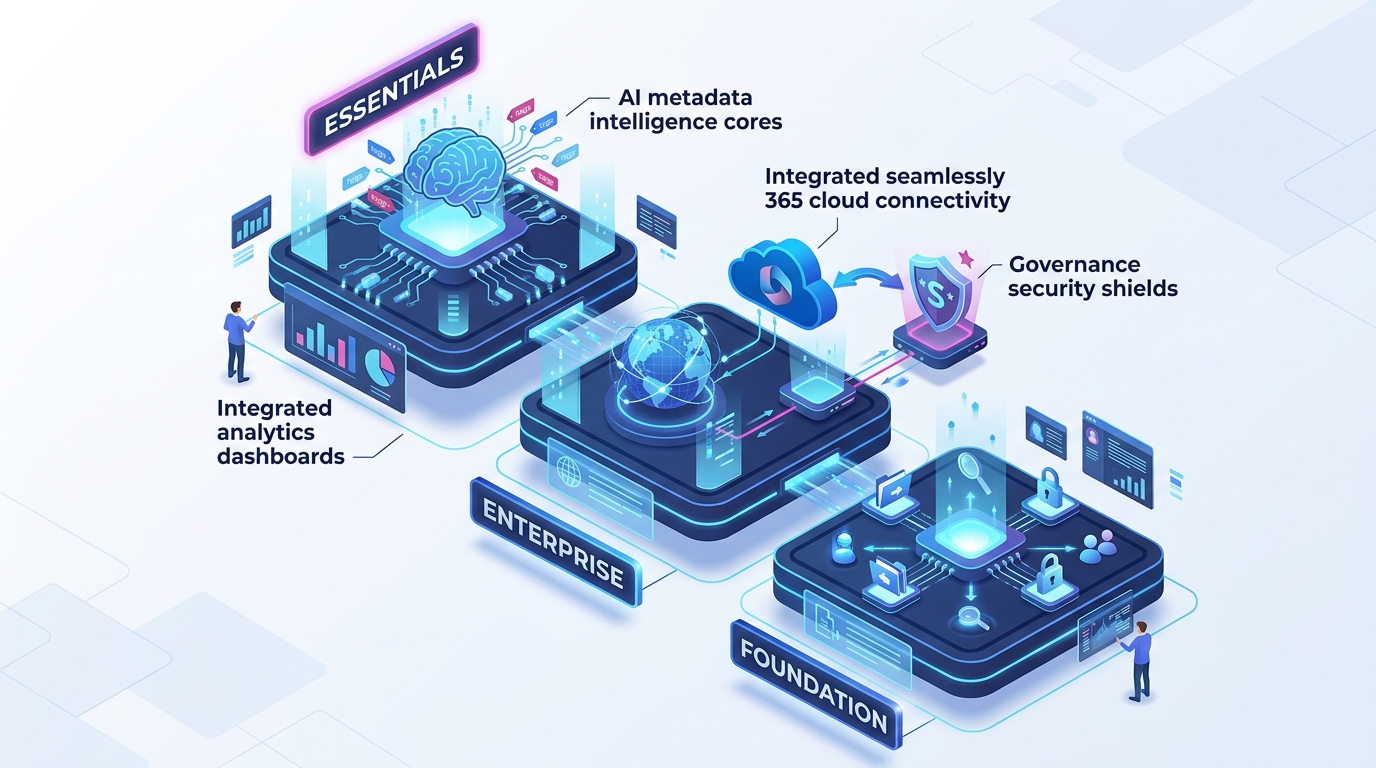
Visualising the Capability Architecture
M-Files Cloud Platform Capability Structure
Deep Dive: What Sets the Editions Apart?
M-Files Essentials: Context-First Productivity Without Complexity
For many organisations, the primary challenge is moving away from fragmented network drives, disorganised SharePoint folder structures, and uncoordinated email attachments.
M-Files Essentials is targeted at organisations that want immediate business value. It establishes a robust, context-first information architecture powered by the Enterprise Knowledge Graph. Key capabilities include:
- Unified Context-First Foundation: Documents are tagged and retrieved by dynamic metadata—such as customer, project, agreement type, or expiry date—eliminating duplicate files and version confusion.
- Native Microsoft 365 Integration: Staff continue working directly inside Word, Excel, PowerPoint, Outlook, and Teams, with full co-authoring support and zero synchronisation delays.
- Built-in M-Files Aino AI: Delivers everyday generative assistance in context, including natural language queries, rapid document summarisation, and contextual search across governed content.
- Automated Graphical Workflows: Visual review and approval workflows ensure standard operational procedures are followed consistently.
- Robust Access Governance: Granular permission rules enforce security automatically based on document metadata, ensuring sensitive files remain restricted.
M-Files Enterprise: Scaled Governance, Autonomous Agents & External Portals
As organisations grow, operate across regulated environments, or collaborate heavily with outside parties, information governance requirements become significantly more stringent.
M-Files Enterprise extends the core foundation with specialised modules designed for heightened compliance, deep automation, and rigorous oversight:
- Autonomous Aino Agents: Beyond conversational summaries, purpose-built AI agents automatically extract metadata, classify complex documents, and streamline filing and compliance checks without human intervention.
- M-Files Hubshare for Secure Client Portals: Enterprise includes integrated external collaboration capabilities. Instead of emailing confidential attachments or dealing with unmanaged link sharing, organisations can provision secure, custom-branded client portals where external clients and partners collaborate safely.
- Advanced Security & Key Management: Supports federated authentication and allows organisations to bring their own enterprise encryption keys via Microsoft Azure Key Vault, meeting rigorous corporate security standards.
- Custom Versioning Schemes & Parallel Workflows: Essential for engineering, manufacturing, and certified practices requiring complex revision management, change control, and multi-track approval stages.
- Extended Audit Logs: Captures granular security events and enables automated log exports to assist with formal regulatory audits, ISO certifications, and data governance reporting.
- No-Code Document Automation: Allows teams to assemble repetitive legal contracts, compliance records, and commercial proposals automatically using dynamic metadata, reducing document generation time while ensuring complete accuracy.
- Advanced Rendering & Controlled Watermarking: Automates PDF conversion, headers, footers, controlled printing, and dynamic watermarks based on document workflow states.
Specialised Deployment Options & Add-Ons
In addition to the primary cloud packages, M-Files provides tailored architectural options and modular add-ons to suit specialised technical and regulatory environments:
1. M-Files Premium Cloud (Dedicated Single-Tenant)
For organisations with strict isolation policies, regulated compliance mandates, or bespoke performance predictability requirements, M-Files Premium Cloud provides a dedicated, single-tenant environment in Microsoft Azure. It isolates compute and storage resources, integrates directly with corporate monitoring solutions, and allows organisations to meet stringent domestic compliance requirements.
2. Flexible Data Residency Controls
For organisations subject to specific contractual or statutory data residency guidelines, M-Files Cloud ensures content is stored within Australian Azure data centres. Furthermore, with M-Files and Microsoft 365 Storage options, content can remain stored directly within your existing Microsoft 365 tenant, providing total control over where data lives.
3. Operational Add-Ons
Organisations can extend either tier with modular extensions:
- M-Files for Outlook Pro: Automatically archives emails and attachments directly into M-Files with enriched metadata and automated routing.
- Process Maps & Interactive Job Aids: Provides visual process flows, role-based responsibility maps, interactive job aids, and real-time workload dashboards to guide staff through complex operational procedures.
- Reporting Databases: Replicates vault metadata into a dedicated reporting database, enabling comprehensive Power BI dashboards and executive analytics without placing query overhead on production document workflows.
- Enterprise Connectors: Connects existing legacy network file shares, SharePoint libraries, ERP systems, and CRM databases into a unified search and governance interface without requiring immediate content migration.
4. Self-Hosted Deployment Options
For organisations operating in air-gapped environments, remote mining or maritime facilities with restricted internet connectivity, or specialised defence environments requiring complete on-premises isolation, M-Files offers self-hosted deployment options. While self-hosted environments deliver total local control, organisations should note that cloud-native capabilities—such as autonomous cloud AI agents and direct Microsoft Graph integrations—require cloud connectivity.
Which Edition Fits Your Practice? 3 Organisational Profiles
To understand how these packages translate into real-world business outcomes, consider three typical operational profiles:
Profile A: Professional Services Practice (10–25 Seats)
- Typical Business: Legal firm, boutique accounting practice, or consulting agency.
- Primary Challenge: Billable hours lost searching through deep folder structures and managing chaotic email attachment threads.
- Recommended Package: M-Files Essentials (or Enterprise if client collaboration portals are immediately required).
- Why It Works: Essentials establishes a clean metadata structure, equips team members with native Microsoft 365 co-authoring, and introduces Aino AI for rapid document analysis. If the firm regularly exchanges sensitive briefs with external clients, upgrading to Enterprise provides instant access to branded Hubshare portals.
Profile B: Growing Organisation with Certified Compliance (25–100 Seats)
- Typical Business: Certified engineering consultancy, commercial builder, or specialised manufacturing enterprise.
- Primary Challenge: Maintaining ISO 9001 quality management, managing strict revision control on operational drawings, and preparing for external audits.
- Recommended Package: M-Files Enterprise.
- Why It Works: Enterprise delivers the exact compliance capabilities required: automated multi-stage sign-offs, custom versioning schemes, controlled rendering with dynamic watermarking, and extended audit logs for compliance evidence.
Profile C: National Multi-Entity Enterprise (100+ Seats)
- Typical Business: National healthcare provider, multi-branch financial institution, or public sector body.
- Primary Challenge: Enforcing cross-entity data boundaries, automating high-volume contract generation, and satisfying strict cybersecurity oversight.
- Recommended Package: M-Files Enterprise with Premium Cloud.
- Why It Works: Combines autonomous Aino agents and no-code document generation with single-tenant Azure isolation, Azure Key Vault encryption, and dedicated reporting database integration.
Transparent Scoping and Implementation with Range IS
Choosing the appropriate platform edition is only the first stage of a successful information governance initiative. Realising sustained return on investment requires clean metadata schema design, thoughtful access security modelling, and high user adoption.
As an accredited Australian Premier M-Files Partner, Range IS provides comprehensive implementation and advisory services:
- Structured Solution Discovery: We evaluate your business workflows, compliance mandates, and system integrations to recommend the exact edition and add-on architecture for your needs.
- Turnkey Vault Architecture & Migration: Milestone-based implementation covering metadata design, security permission matrices, workflow automation, and structured data migration.
- Dedicated User Enablement: Australian-based administrator and end-user training programmes that foster enthusiasm and drive immediate adoption across your organisation.
Discover the Power of M-Files with Range IS
Ready to eliminate information silos and bring trusted AI and governance to your documents?
- Explore the Software in Action: Schedule a Live M-Files Platform Demonstration with our Australian solution consultants.
- Experience It Firsthand: Start your Free 30-Day M-Files Cloud Trial today.
- Explore Our Solutions: Learn more about our specialised M-Files Document Management Capabilities and intelligent M-Files Aino AI Features.